Buzzy
Contact
Buzzy
Governed AI app platform for web and mobile apps with no-code, Figma, and AI workflows.
Buzzy as a Lovable Alternative: Governed AI App Delivery (2026)
Buzzy is a strong Lovable alternative when your team cares less about raw prompt speed and more about governed app delivery, multi-platform output, and a process that can survive beyond the demo stage. Lovable is often the simpler recommendation for a fast web-first MVP, especially when founders want immediate momentum and fewer conceptual layers. Buzzy is better when the app needs structure, governance, and a path that includes web and mobile delivery rather than only a shiny first build.
The official site positions Buzzy around a semantic application definition instead of fragile generated code, while the documentation frames it as a no-code platform that can turn ideas into web and mobile apps with prompts, AI-driven modifications, Figma input, and optional custom code. That is a different mental model from most prompt-to-app tools, and it creates a very different trade-off profile for buyers.
If you want the shortest path to a public startup prototype, Buzzy may feel heavier than Lovable. If you need a more controlled environment for business applications, especially where repeatability, security concerns, or future maintenance matter, the extra structure can be the reason to choose it.
Buzzy vs. Lovable: Quick Comparison
| Decision area | Buzzy | Lovable |
|---|---|---|
| Primary approach | Governed no-code AI platform with a semantic app model | Prompt-led AI app builder with stronger startup-MVP momentum |
| No-code support | High; documentation centers on no-code usage | High for rapid generation, but often drifts toward code-adjacent workflows |
| Learning curve | Moderate because the platform model is more opinionated | Lower for first-pass creation and public-product exploration |
| Typical output | Web and mobile applications with governance in mind | Mostly web-first MVPs and product experiments |
| AI builder style | Prompts plus semantic structure and AI-assisted changes | Prompt to app with faster immediate visual payoff |
| Figma support | Explicitly documented | Not a defining part of the public buying story |
| Custom code | Documented as an option | Usually expected once complexity grows |
| Deployment | Managed deployment plus plans for running on your own server | Deployment varies by generated stack and chosen services |
| Mobile support | Public docs say web and mobile apps | Web app focus is stronger |
| AI cost model | Buzzy-managed AI credits or bring your own OpenAI key | Usage costs depend on plan and surrounding services |
| Testing / governance | Homepage emphasizes security, privacy, and automated testing direction | Governance is less central to the initial pitch |
| Portability | Some self-hosting and publishing flexibility is referenced | Portability discussion is often about code ownership and stack choices |
| Best fit | Teams building governed business apps or cross-platform outputs | Founders moving quickly on web-first product ideas |
| Worst fit | Buyers who want the simplest possible first prompt-to-demo experience | Buyers who need a more managed multi-platform platform model |
What Buzzy Does Differently
It treats governance as part of the product, not a future problem
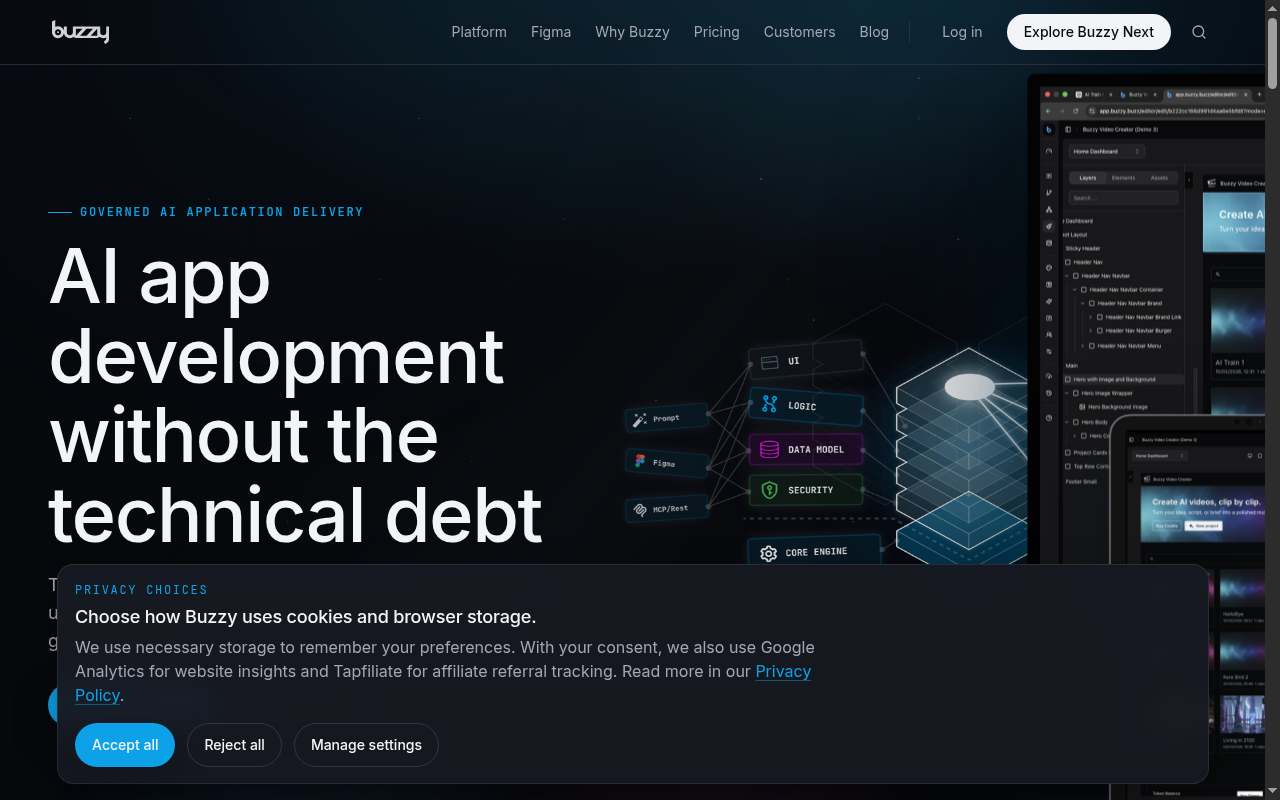
Buzzy does not market itself like a throwaway prototype tool. The homepage explicitly talks about reducing maintenance, security risk, and AI-generated technical debt, which is unusual in a category that often optimizes for wow-factor first and consequences later.
That matters for teams building internal or operational software. The buying decision is not only about how fast the first version appears, but about whether the resulting application can be managed, extended, and trusted once people depend on it.
It has a broader app-output story than many web-first builders
The documentation says Buzzy helps users create web and mobile apps, and the pricing page references publishing to app stores or running on your own server through deployment plans. That makes the product more relevant if your roadmap already includes mobile or multi-platform delivery.
Lovable remains easier to recommend for web-first MVP momentum, but Buzzy can be a more strategic buy when the app is expected to outgrow a single web surface.
Figma, no-code, AI, and custom code live in one story
Buzzy's docs do a better job than many competitors of explaining that AI generation is only one part of the workflow. The platform combines prompts, immediate AI modifications, Figma-based refinement, and optional custom code, which gives teams several ways to keep shaping the product after generation.
For design-heavy or workflow-heavy teams, that is more realistic than pretending one magic prompt will carry the whole product lifecycle.
Known Limitations
- Buzzy's product story is more layered than Lovable's, which means beginners may need more time to understand the platform model before they feel productive.
- The cost model can become less intuitive once you combine free manual building, bring-your-own-key workflows, Buzzy-managed AI credits, and separate deployment plans.
- Lovable is still the cleaner choice when your priority is a fast public web prototype rather than a governed application platform.
- Not every advanced promise is equally mature in public materials; parts of the broader enterprise direction, such as Buzzy Next features, still read like platform roadmap rather than baseline buyer certainty.
- Public pricing gives a starting point, but larger-scale deployment economics need a closer review than the homepage alone provides.
Who Should Choose Buzzy Over Lovable?
- Choose Buzzy if you expect the app to become an operational system rather than only a proof of concept.
- Choose it if web-plus-mobile output or app-store publishing are part of the project shape.
- Choose it if your team wants Figma in the workflow instead of relying only on prompting.
- Choose it if governance, maintenance risk, and controlled delivery matter almost as much as generation speed.
When Lovable Is Still the Better Choice
- Stay with Lovable if you want a simpler web-first creation loop with less platform vocabulary to learn.
- Stay with Lovable if the app is mostly a public-facing MVP or landing-plus-product experiment rather than a governed internal system.
- Stay with Lovable if your team values startup-speed momentum more than a broader cross-platform and governance story.
- Stay with Lovable if you do not want to think about AI credits, deployment plans, and workflow structure until later.
Pricing Comparison and Cost at Scale
Buzzy's public pricing model is flexible, but not as instantly simple as a standard seat plan. The pricing page says you can start for free, use the Figma plugin or no-code tools manually without paid AI credits, and in some supported workflows bring your own OpenAI API key instead of using Buzzy-managed AI credits.
The pricing page also says deployment plans start at $20 per month when you want to run on your own server or publish to app stores. Documentation adds that AI credits only apply when you use Buzzy-managed AI, while manual creation or supported bring-your-own-key workflows change the cost profile significantly.
That can be attractive for cost-conscious teams because it avoids forcing every user into the same pricing path. The downside is forecasting complexity: buyers need to separate creation, AI generation, deployment, and ongoing maintenance costs rather than expecting one flat number to explain the whole platform.
How This Tool Compares to Other Options
If Buzzy feels too platform-heavy, Bubble or Glide are easier to grasp for many non-technical teams. If it feels not code-centric enough, Lovable, Replit, or Solid are better fits for teams that want more of a developer-shaped path after the first build.
FAQ
Is Buzzy good for beginners?
Yes, with caveats. The no-code foundation is beginner-friendly, but the product's semantic and governance concepts add more conceptual weight than a simpler one-shot builder.
Do I need to know how to code to use Buzzy?
No, not necessarily. The documentation positions Buzzy as a no-code platform, though optional custom code exists for teams that need it.
Is Buzzy free?
Yes, to begin. Buzzy says you can start for free, manually build without paid AI credits, and in some workflows use your own OpenAI API key.
Can Buzzy replace Lovable?
Sometimes, yes. It is a compelling replacement when governance, multi-platform output, or Figma-driven refinement matter more than pure web-MVP speed.
What is the biggest trade-off with Buzzy?
Complexity and pricing shape. The platform gives you more control over how you build and deploy, but that also makes the buying and operating model less simple than a straightforward prompt-to-app tool.