Continue
Open-source AI code assistant that works across VS Code, JetBrains, and terminal
Continue.dev - Lovable alternative
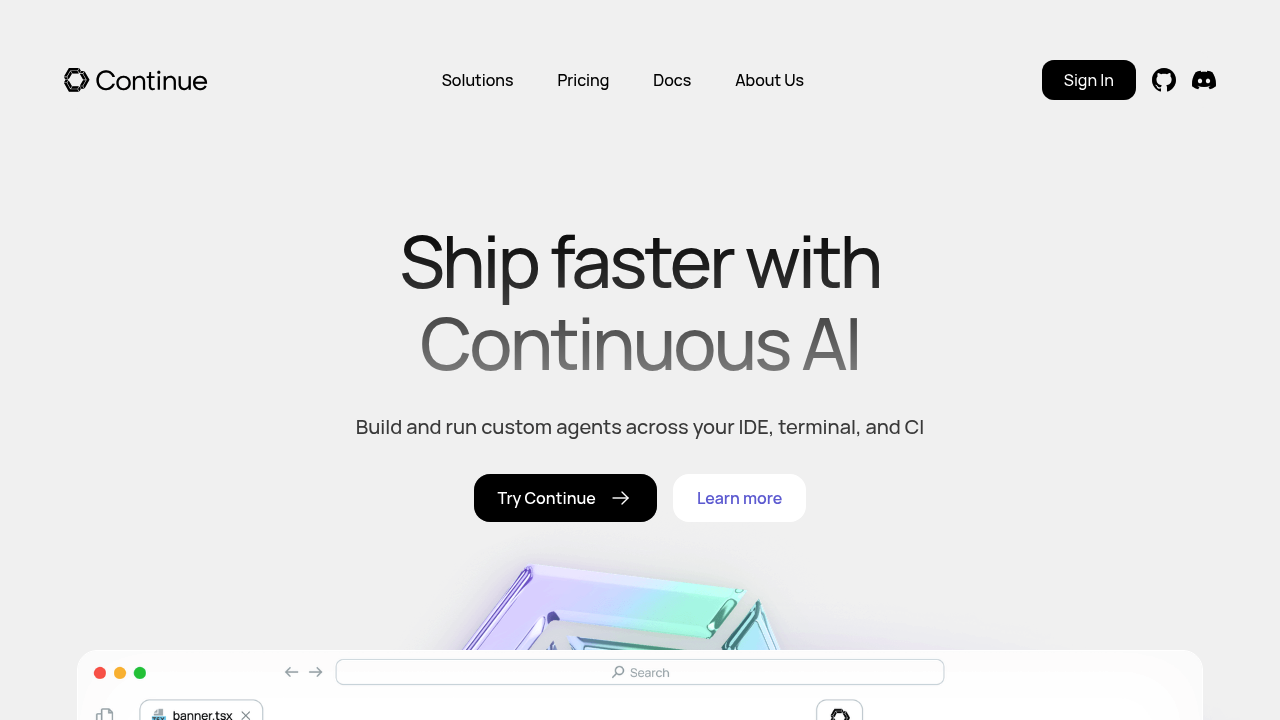
Continue is an open-source platform that enables developers to create custom AI code assistants with extensions for VS Code and JetBrains. It allows building and running custom agents across IDE, terminal, and CI environments. Solo developers can connect any LLM models and customize the entire coding experience. The extension provides chat, autocomplete, edit, and agent features directly in the editor.
Strengths
- Model flexibility — Supports a wide range of AI model providers including local models, OpenAI, Anthropic, and others. Developers control which models power different features.
- Full IDE integration — Provides Agent mode for development tasks, Chat for questions, Edit for inline modifications, and Autocomplete for code suggestions. All features work without leaving the editor.
- Privacy and local execution — Can run entirely with local models. No requirement to share code with external services. Configuration and data stay on the developer's machine.
- Open-source transparency — Released under Apache 2.0 license. Full source code available for review, modification, and self-hosting.
- Customizable prompts and rules — Includes hub for models, rules, prompts, docs, and building blocks. Developers can configure exactly how the AI behaves.
- Model Context Protocol support — Integrates with MCP to enable real-time interaction with external systems, databases, and APIs. Extends beyond static context windows.
Weaknesses
- Configuration complexity — Requires manual setup of config.yaml files. Steeper learning curve than plug-and-play alternatives.
- Model management — Users must obtain their own API keys or run local models. No included inference without additional setup.
- UI polish — Interface prioritizes functionality over visual design. Less refined than commercial alternatives.
- Feature discovery — Extensive customization options can overwhelm new users. Documentation required to unlock full capabilities.
Best for
Developers who need full control over AI models, value open-source software, require local-first privacy, or want to customize every aspect of their coding assistant.
Pricing plans
- Free (Open Source) — $0 — Unlimited usage with your own API keys or local models. No seat limits. Self-managed inference.
- Individual (Hub + Models Add-On) — Unknown — Access to frontier models for flat monthly fee. Details require account signup.
- Team Plan — Unknown — Multi-user access with shared models. Pricing requires contact with sales.
- Enterprise Plan — Custom pricing — Enhanced security, custom integrations, premium support. Contact required for details.
Tech details
- Type: IDE extension + CLI tool
- IDEs: VS Code (via marketplace extension) and JetBrains (via plugin)
- Key features: Chat sidebar, inline autocomplete, in-file editing, agent mode for multi-file changes
- Privacy / hosting: Fully self-hosted option available. Local model execution supported. No data sent to Continue servers when using own models. Configuration stored locally.
- Models / context window: Supports models including Claude Opus 4 (200K context), Codestral for FIM tasks, and various open-source options. Context window depends on chosen model provider.
When to choose this over Lovable
- You need to use local LLM models or specific model providers. Continue connects to any API or runs models locally.
- Your project requires full code privacy. Self-hosted deployment keeps all data on your infrastructure.
- You want deep customization of prompts, rules, and AI behavior. The config system allows granular control.
When Lovable may be a better fit
- You prefer immediate visual app building over code-first development. Lovable generates full applications from prompts.
- You need a managed service with no infrastructure setup. Lovable handles all model hosting and configuration.
- Your priority is rapid prototyping of web applications. Lovable specializes in generating complete UI components and pages.
Conclusion
Continue.dev delivers a powerful Lovable alternative for developers who prioritize control and transparency. The open-source architecture enables complete customization of model selection, prompts, and context providers. While it requires more initial configuration than managed services, the flexibility supports any workflow from local-first development to team-based CI integration. Continue excels when developers need to integrate AI into existing toolchains without vendor lock-in.
Sources
- Official site: https://www.continue.dev/
- Docs: https://docs.continue.dev/
- Pricing: https://hub.continue.dev/pricing
FAQ
What models does Continue.dev support?
Continue supports a wide range of AI model providers including OpenAI, Anthropic, local models via Ollama, Azure, and custom API endpoints. You can configure different models for chat, autocomplete, and editing features. The extension also works with self-hosted model servers.
Is Continue.dev completely free to use?
Continue is released under the Apache 2.0 license, making the core extension completely free. You need to provide your own model access through API keys or local models. The optional Hub subscription provides access to frontier models for a flat monthly fee.
Can Continue.dev work offline with local models?
Yes. Continue supports local model execution through providers like Ollama and LM Studio. All processing happens on your machine when using local models. No internet connection required after initial setup. Configuration and conversation history stay on your device.
How does Continue.dev compare to GitHub Copilot?
Continue offers more model flexibility and open-source transparency than Copilot. You control which AI models power each feature. The extension supports chat, editing, and agent modes beyond autocomplete. Continue works with any LLM provider while Copilot uses OpenAI exclusively.
Does Continue.dev support team collaboration?
Continue is based in San Francisco and was founded in 2023. The Hub platform offers team plans with shared model access. Pricing details for team features require contacting sales. The open-source extension can be deployed across any team using shared configuration files.
What programming languages does Continue.dev support?
Continue works with all languages supported by VS Code and JetBrains IDEs. The AI assistance quality depends on the chosen model's training data. Popular languages like Python, JavaScript, TypeScript, Go, and Rust receive strong support across most models. Custom rules can improve results for specialized languages.