Dyad
Contact
Dyad
Local-first open-source AI app builder with model flexibility, code ownership, and deployment to GitHub, Vercel, or your own cloud.
Dyad as a Lovable Alternative: Comparison & Decision Guide (2026)
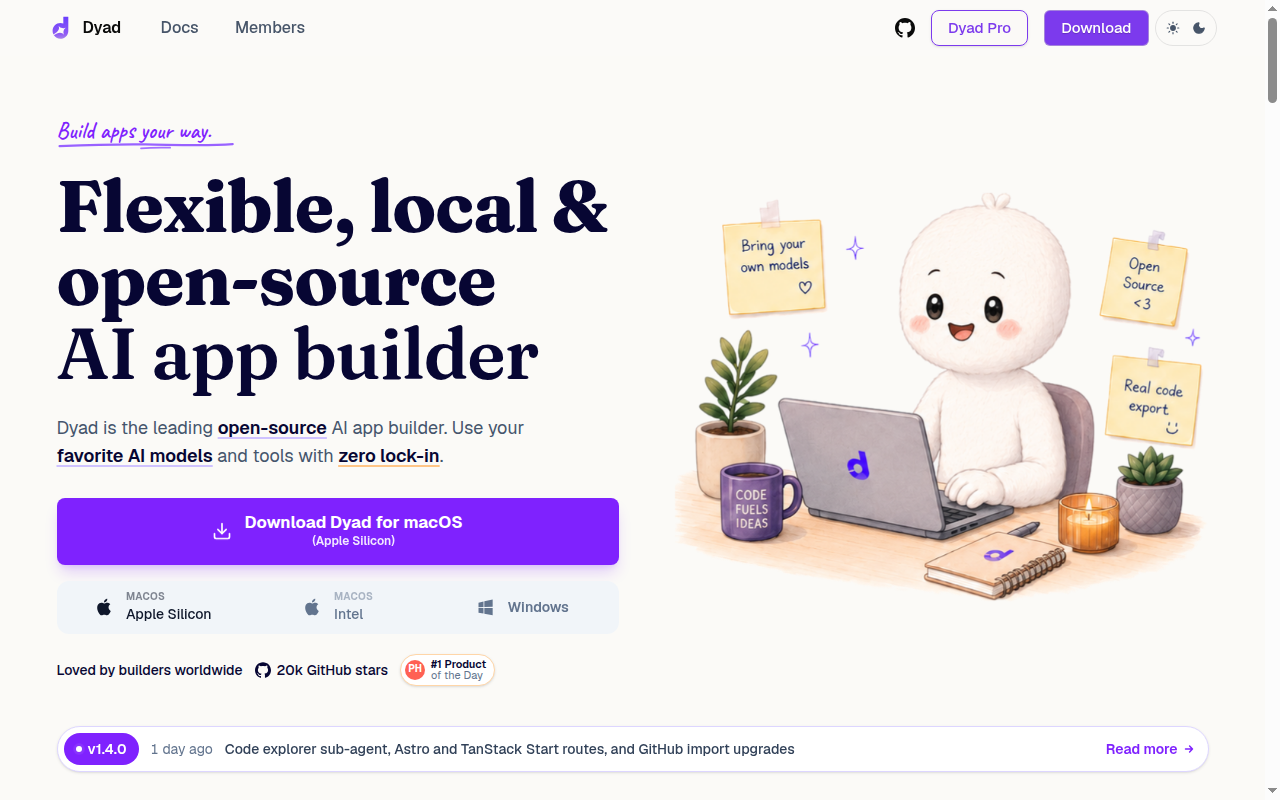
Dyad is one of the strongest Lovable alternatives for builders who care about code ownership, local execution, model flexibility, and minimizing platform lock-in. Compared with Lovable, Dyad takes a very different path: instead of keeping the builder as a cloud-first web experience, it runs locally, lets users bring their own AI model providers, and emphasizes that the generated code is real, exportable, and deployable anywhere. The tradeoff is that Dyad is not as beginner-soft as web-first products, so complete non-technical users may find Lovable easier to start with.
For technical founders, indie hackers, and privacy-conscious teams, Dyad's value proposition is unusually clear. The official site says it is local first, open source, compatible with OpenAI, Anthropic, Google, Ollama, LM Studio, and other models, and focused on zero lock-in. That gives it a stronger ownership story than many cloud AI builders, especially when the buyer wants to control model choice, avoid storing code in a proprietary browser platform, or work with offline and local-model setups.
You should not choose Dyad if your primary goal is the smoothest possible no-code experience for a beginner who has never managed API keys or local software. The desktop and BYO-model workflow is a feature for advanced users, but it is also a form of friction. Dyad is best when control matters more than convenience.
Dyad vs. Lovable: Quick Comparison
| Attribute | Dyad | Lovable |
|---|---|---|
| Primary approach | Local-first, open-source AI app builder | Cloud prompt-first AI full-stack app builder |
| No-code support | Partly, but setup is more technical | Stronger for pure beginners |
| Learning curve | Higher because local setup and model choice matter | Lower because the workflow is more managed |
| Execution model | Runs on your machine | Runs in a hosted cloud workflow |
| Model choice | OpenAI, Anthropic, Google, Ollama, LM Studio, more | Model choices are more managed by the platform |
| Lock-in profile | Very low by design | Higher than Dyad because it is platform-centric |
| Code ownership | Real code you own and can export | Code ownership is a selling point, but platform flow remains central |
| Deployment | GitHub, Vercel, or your own cloud | Direct hosted app workflow |
| Privacy | Local-first with stronger privacy control | Cloud workflow means different trust assumptions |
| Pricing | Free tier plus Pro $20 and Max $79 | Plan economics depend on hosted usage model |
| Best fit | Technical founders, indie hackers, privacy-minded teams | Non-technical founders and fast prompt-first MVPs |
| Weakest area | Less beginner-friendly and more setup-heavy | Weaker for local-first control |
| Collaboration | Not publicly documented as a strong native team feature | Cloud workflows are easier to share quickly |
| Counter-case | Skip if convenience matters most | Choose if you want the fastest managed start |
Why Dyad can be a strong Lovable alternative
Dyad's biggest strength is that its differentiation is not vague. The official site states that it is local first, open source, and designed for zero lock-in, and it repeatedly emphasizes that your data stays under your control and that you can export clean, runnable code. For a buyer comparing Lovable alternatives, this is a real structural difference, not a small feature tweak.
The second strength is model freedom. Dyad says it supports OpenAI, Anthropic, Google, Ollama, LM Studio, and more, which means the builder is not tightly bound to one AI provider or one proprietary routing layer. That matters when teams want to switch providers for cost, privacy, reliability, or model-performance reasons without having to abandon the whole app-building environment.
The third strength is deployment flexibility. Dyad says users can deploy to GitHub and Vercel in a few clicks or bring their own cloud. Compared with Lovable, which is appealing because of managed speed, Dyad is more attractive for builders who want the AI acceleration but do not want the delivery path to stay trapped inside one hosted ecosystem.
Where Dyad is weaker than Lovable
Dyad is harder for true beginners. Lovable's cloud-native workflow is easier for a founder who wants to describe an app idea and see a result without thinking about local installs, API keys, or model configuration. Dyad can still serve ambitious beginners, but it asks more from the user at the start.
The second weakness is operational convenience. Local-first control is excellent for privacy and ownership, but it also means the product does not feel as instantly collaborative as a browser builder you can open and share with a link. Teams that work non-technically across design, marketing, and operations may find Lovable or Figma Make easier to socialize internally.
The third weakness is that some of Dyad's strongest benefits depend on the user actually wanting them. Model choice, offline capability, and local storage are powerful if they solve your problem. If they do not, then they become extra decisions that slow down progress compared with a more opinionated hosted builder.
Pricing and cost predictability
Dyad has one of the more flexible pricing stories in this category. The official site shows a free tier that is open-source, downloadable on macOS and Windows, requires no sign-up, and lets users bring their own API key. That means the cheapest path to using Dyad is very low if the user already understands how to manage model providers.
The public pricing also lists Dyad Pro at $20 per month and Dyad Max at $79 per month. Pro includes extra AI modes and 200 AI credits per month, while Max raises that to 900 credits and adds prioritized office-hour access. This creates a two-track cost model: either use Dyad mostly as a free local shell with your own provider billing, or pay Dyad directly for more managed AI capacity and premium features.
The cost downside is that BYO-key workflows can look free while silently moving spend to the model provider. That is still often better than platform lock-in, but it requires more cost literacy from the buyer. Compared with Lovable, Dyad gives more cost control and more cost responsibility at the same time.
When not to choose Dyad
Do not choose Dyad if your team is mostly non-technical and wants the smoothest possible onboarding. The local-first workflow is a competitive advantage for advanced users, but it adds setup overhead for everyone else. A browser-native builder may get the team moving faster.
Do not choose it if you want the platform itself to hide model decisions and infrastructure choices. Dyad is built for people who want those knobs. If you are not going to use that control, you may just be choosing extra complexity over convenience.
Do not choose it if you need a highly social, link-first workflow for multiple non-technical stakeholders from day one. It can still support serious work, but its public story is about ownership and flexibility, not polished no-code collaboration across every department.
When Lovable is the better choice
Stay with Lovable when the main requirement is a fast, hosted, beginner-friendly workflow that reduces setup and keeps everything in one browser environment. Lovable is also the better fit when the founder wants to validate an app idea quickly without learning how AI providers, local models, or desktop app builders work. Convenience matters more than optional control in those cases.
Lovable can also win when team collaboration is broader than just builders. If marketers, operators, or non-technical stakeholders need a more obvious hosted flow, Lovable tends to be easier to present, share, and iterate on. Dyad is better when the team building the app is closer to the code.
FAQ
Is Dyad really open source? Yes, the official site positions Dyad as an open-source AI app builder with community transparency.
Can you own the code? Yes, Dyad explicitly says the generated code is real, runnable, and exportable with no lock-in.
Can beginners use it? Yes, but it is a better fit for motivated or technical beginners than for people who want the simplest possible first experience.
What makes it different from Lovable? The biggest differences are local execution, broad model choice, stronger privacy control, and a much lower lock-in profile.
What is the main drawback? The main drawback is setup friction: local software, optional provider billing, and more technical decisions than a hosted cloud builder.
Lock-in and long-term ownership assessment
Dyad is unusually strong for buyers who worry about what happens after the first impressive demo. The official product story is built around zero lock-in, real code ownership, and freedom to use your own cloud or model provider. That makes it more future-proof than many hosted AI builders for teams that expect the project to outgrow the first platform.
The practical benefit is not only exportability. It is also the ability to change model vendors, run local models, keep code on-device, and deploy through standard developer infrastructure rather than through a proprietary runtime. Those choices reduce switching cost later, especially for teams building client work or privacy-sensitive internal tools.
The main caveat is that ownership requires competence. Dyad gives the user more control, but it does not remove the need to make good decisions about providers, deployment, and maintenance. Teams that want freedom without responsibility may still be happier with a more managed Lovable-style workflow.
Who should choose Dyad first
Choose Dyad first if you are a technical founder who wants to keep your codebase close, switch AI providers when pricing changes, and avoid being boxed into one hosted vendor. It is also a strong fit for indie hackers who already use GitHub, Vercel, or local models and do not want to rebuild a prototype later just to regain control. For agencies or internal-tool builders working with sensitive data, the local-first angle can be the deciding factor rather than a nice bonus.
In short, Dyad wins when ownership, privacy, and optionality matter as much as generation speed. That is not every buyer, but for the right one it is a meaningful upgrade over a purely hosted builder.