Figma Make
Contact
Figma Make
Design-first no-code AI app builder that turns prompts and existing Figma files into interactive web apps and prototypes.
Figma Make as a Lovable Alternative: Comparison & Decision Guide (2026)
Figma Make is a good Lovable alternative for design-led teams, product managers, and non-technical founders who want to turn prompts or existing Figma files into interactive web apps without starting in a separate coding environment. Compared with Lovable, the biggest advantage is that Figma Make starts from a mature design workflow, so teams can move from frames, components, and style libraries into an app-building flow without switching tools. The tradeoff is that Figma Make is less opinionated around shipping a full production stack end to end, so teams that want a pure prompt-to-product workflow with fewer design-system decisions may still prefer Lovable.
For beginners, the no-code story is strong because Figma states that no coding is required and the app builder works from plain-language prompts. That makes it approachable for someone who has never written code, especially if they already use Figma for mockups or UI review. The catch is that publishing and code export sit behind paid plan access, so the workflow can feel smoother for exploration than for long-term production ownership unless the team is ready to pay for broader Figma seats.
You should not choose Figma Make if your main priority is maximum backend transparency, self-hosting flexibility, or a fully standalone app-generation workflow outside the Figma ecosystem. It is strongest when the decision starts with design collaboration and fast validation, not when the project starts with infrastructure choices. In other words, Figma Make is best when the app is part of a product design workflow first and a software delivery workflow second.
Figma Make vs. Lovable: Quick Comparison
| Attribute | Figma Make | Lovable |
|---|---|---|
| Primary approach | Design-first AI app builder inside Figma | Prompt-first AI full-stack web app builder |
| No-code support | Yes, explicitly no-code | Yes, aimed at no-code and low-code creation |
| Learning curve | Lower for teams already using Figma | Lower for teams starting directly from app prompts |
| Starting point | Prompt, pasted frame, or existing Figma design | Prompt-led app creation |
| Visual editing | Strong visual context through Figma files and libraries | Strong prompt iteration, less design-system native |
| Code access | Built-in code editor and export on paid access | Code ownership is part of Lovable's appeal |
| Backend support | Supports backend integration | Built for full-stack workflows |
| Publishing | Available, but paid access matters | Designed around direct shipping workflows |
| Design system reuse | Excellent for existing Figma libraries | Weaker if a team lives inside Figma today |
| Templates and prototypes | Very strong for prototypes, MVPs, dashboards, flows | Strong for MVP apps and web products |
| Custom domain | Not publicly documented on the AI app builder page | Available in Lovable-style deployment workflows |
| Portability | Export possible on paid plan | Portability is a core buyer concern Lovable addresses |
| Best fit | Product, design, and mixed design-dev teams | Fast-moving founders and builders shipping from prompts |
| Weakest area | Less clear public detail on production backend depth | Can be weaker for design-native collaboration |
Why Figma Make can be a strong Lovable alternative
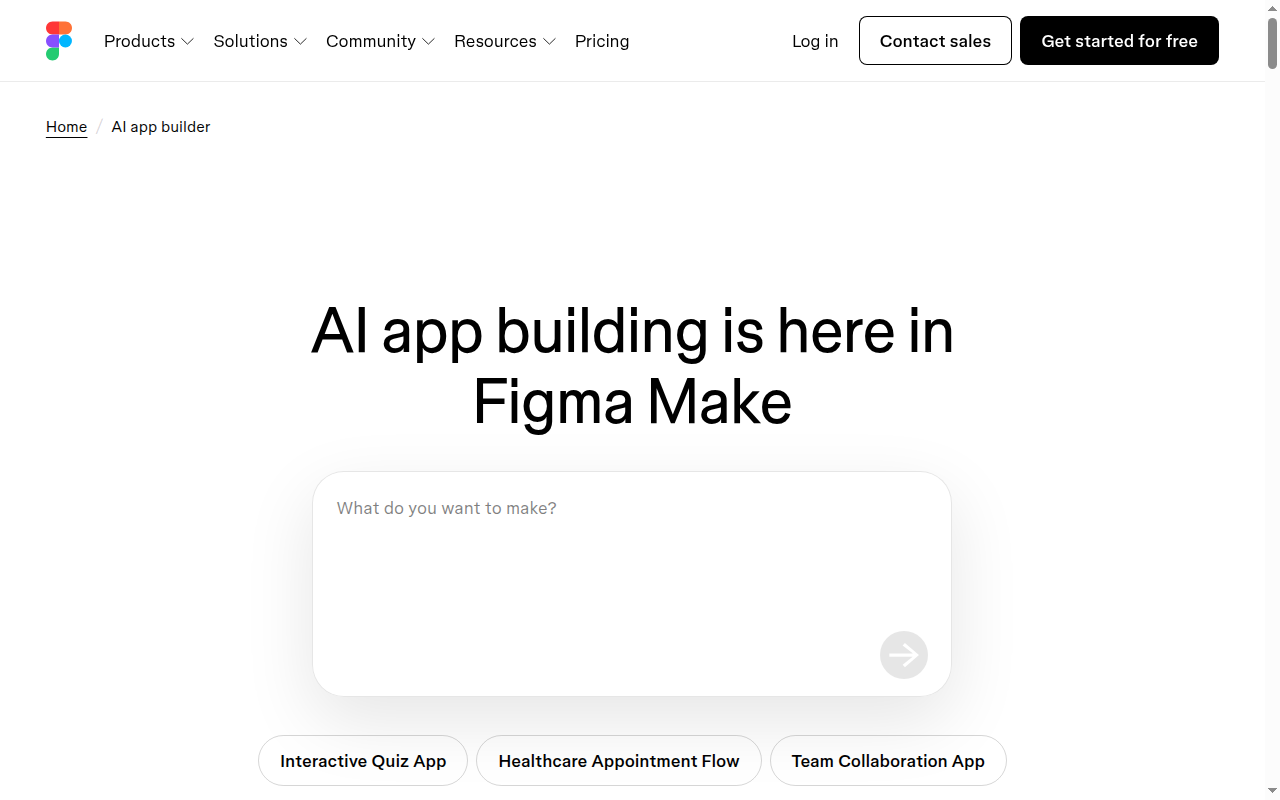
Figma Make stands out because it turns an existing design habit into an app-building workflow instead of asking the user to abandon design files and start from a blank coding prompt. According to Figma's official AI app builder page, users can begin from plain-language prompts or attach an existing Figma design as visual context. That makes the tool especially relevant for teams that already review ideas through frames, component libraries, and product mocks before they talk about implementation.
The second strength is how clearly Figma positions the product for non-technical builders. The official page says no coding is required, while still offering a built-in code editor for users who want to inspect or modify the output. That combination matters because many Lovable alternatives are easy only until the user needs to debug the result, while Figma Make at least acknowledges that some teams want a bridge from no-code exploration into code-aware refinement.
The third advantage is that Figma Make is not limited to throwaway mockups. Figma says the builder can create interactive prototypes and full-blown apps with live data and component logic, and it also supports backend integration. For teams comparing Lovable alternatives, this broadens the tool from a design toy into something closer to a validation platform for dashboards, internal tools, onboarding flows, and lightweight MVPs.
Where Figma Make is weaker than Lovable
Figma Make is not the strongest choice if you want the cleanest possible story around production ownership from day one. The official material is clear that code export and some publishing capabilities depend on paid plan access, which means portability is real but not equally available to every seat. A founder choosing a Lovable alternative mainly for downstream code ownership may find that Lovable communicates this part of the workflow more directly.
It is also less transparent, at least publicly, about deeper backend architecture decisions. Figma confirms backend integration and code editing, but the public page does not document a detailed production stack, hosting model, or infrastructure opinion in the same way a technical buyer might want. That uncertainty does not make the tool weak, but it does mean the decision is easier for UI-heavy workflows than for backend-heavy products.
Finally, Figma Make can create a subtle lock-in of process even when code export exists. If the team's biggest productivity win comes from pasting frames, reusing libraries, and prompting from Figma context, leaving that workflow later may be possible technically but expensive operationally. Lovable can be a better fit when the team wants the app workflow itself, not the design workflow, to be the center of gravity.
Pricing and cost predictability
Figma says users can get started on a free Starter plan, which is good for exploration and early experiments. The official FAQ also says publishing and code editing require paid access, and code export is tied to paid plan roles such as a Full seat. That makes the entry cost attractive, but the moment a team wants shipping rights and stronger ownership, the real cost depends on the broader Figma seat model rather than just a simple app-builder subscription.
That pricing shape is important in a Lovable comparison because the tool may feel cheaper than it really is if a team already pays for Figma anyway. For an established product org, bundling app generation into an existing design stack can be efficient. For a solo founder who only wants an app builder, the seat structure can be less predictable than a single-purpose builder with a simpler monthly plan.
The practical takeaway is that Figma Make is cost-friendly for prototyping, but cost predictability becomes more nuanced when publishing, code export, and multi-seat collaboration enter the picture. Teams should model the full Figma plan impact before they treat it as a cheaper Lovable replacement at scale.
When not to choose Figma Make
Do not choose Figma Make if you are not already comfortable in Figma and do not care about design-file continuity. In that case, the biggest differentiator loses value and you may just be adding another interface between idea and shipped product. A simpler prompt-first builder can be easier.
Do not choose it if you need public technical clarity on hosting, deployment depth, or backend architecture before you start. The official materials show a capable app builder, but many implementation details remain high level in public-facing documentation. Technical founders may want a tool with a more explicit infrastructure story.
Do not choose it if your team wants every contributor to have equal publishing and code-export capability on the cheapest possible plan. Figma Make can still work, but the seat and plan model can become a friction point. Lovable may be cleaner when ownership and shipping rights are the first filter.
When Lovable is the better choice
Stay with Lovable when you want the shortest route from idea to deployable app and care less about Figma-native design reuse. Lovable is also the safer default when the founder wants an app builder rather than a design-and-app hybrid workflow. In that situation, Figma Make can feel one layer removed from the actual delivery problem.
Lovable also looks better when the team wants a product built around the app generation journey itself. Figma Make adds a lot of value for design-heavy teams, but that same strength can be irrelevant for people who start from requirements, data, and flows rather than UI files. If design context is secondary, Lovable often has the cleaner story.
FAQ
Is Figma Make beginner-friendly? Yes, for non-technical users it is one of the clearer design-led options because Figma says no coding is required and prompts can drive the workflow.
Can you export code? Yes, but paid access matters because Figma ties code export to paid-plan roles and code editor access.
Can it build real apps? Yes, Figma says it can create interactive prototypes and full apps with live data and logic, although public technical depth is still limited.
Is it better than Lovable for every case? No, it is better mainly when design continuity, Figma libraries, and design-team collaboration matter more than a pure prompt-to-product workflow.
What is the biggest risk? The biggest risk is assuming the free entry point covers long-term shipping needs when publishing and code-export rights require paid access.
Migration and lock-in assessment
Figma Make is safer than many no-code tools because Figma publicly documents code editing and code export for paid users. That means the product is not a total black box. Still, the workflow advantage comes from design context, shared libraries, and a familiar Figma environment, so migration risk is more about process than about code captivity alone.
A team that prototypes ten internal tools in Figma Make may technically be able to export code, but it may still hesitate to leave because the fastest iteration loop depends on Figma-native collaboration. That is a softer kind of lock-in than cloud-only builders, but it is still worth acknowledging. Buyers should treat Figma Make as low-to-moderate lock-in rather than no lock-in.
If the team expects to move into a conventional engineering workflow later, Figma Make works best when there is already a handoff plan for ownership, deployment, and maintenance. Without that plan, the app can become dependent on the same design-centric workflow that made it attractive in the first place.