GitHub Copilot
AI pair programmer that suggests code completions and chat assistance across multiple IDEs.
GitHub Copilot - Lovable alternative
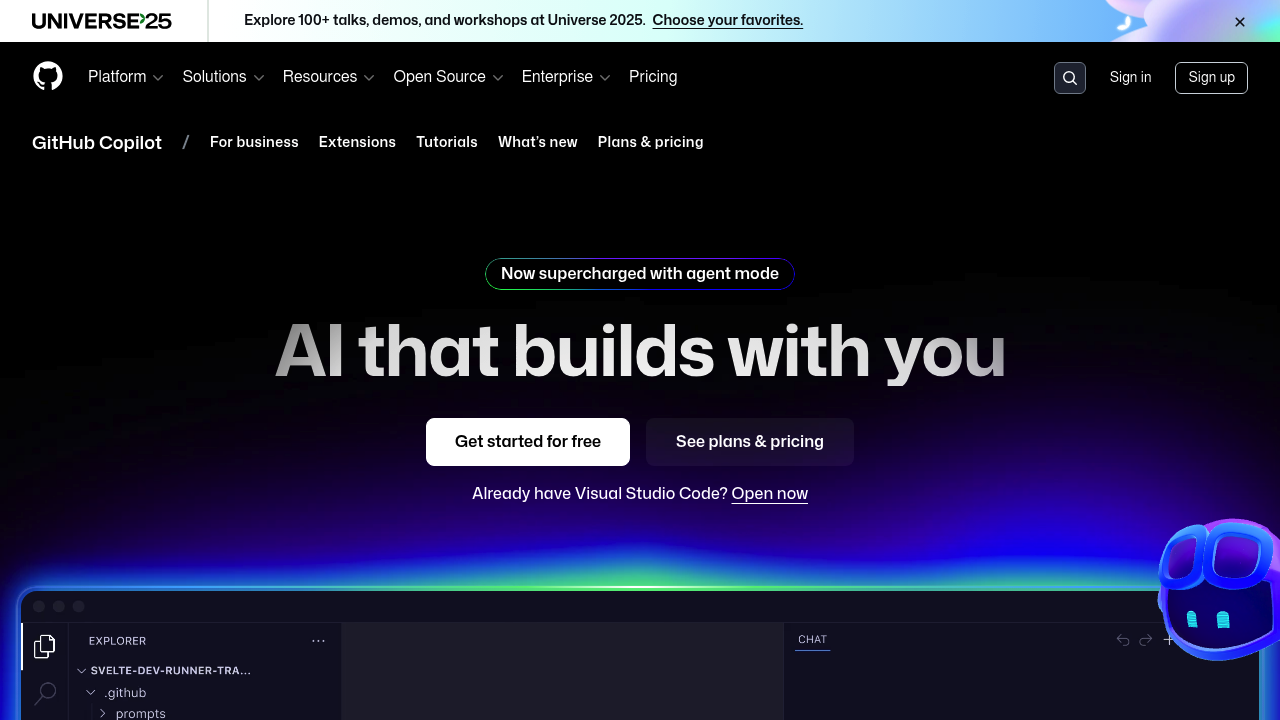
GitHub Copilot provides autocomplete-style code suggestions in supported IDEs and includes a chat interface for coding-related questions. It operates as an extension within your existing development environment. Copilot analyzes code context to generate probabilistic suggestions. Solo developers might prefer it for code-level assistance within familiar tools rather than full-stack application generation.
Strengths
- Wide IDE support including Visual Studio Code, Visual Studio, JetBrains IDEs, Azure Data Studio, Xcode, Vim/Neovim, and Eclipse
- Free tier available with 2,000 code completions and 50 premium requests per month at no cost
- Coding agent feature can autonomously make code changes and create pull requests from GitHub issues
- Access to multiple AI models including Claude 3.7 Sonnet, Claude 4 Sonnet, GPT-4.1, Gemini 2.0 Flash, and o3-mini
- Code review functionality generates AI-powered suggestions to improve code quality
- IP indemnification provided for Business and Enterprise customers when filtering is enabled
Weaknesses
- Premium request limits constrain advanced model usage: 50/month on Free, 300/month on Pro, 1,500/month on Pro+
- Does not generate complete full-stack applications from prompts like dedicated app builders
- Requires existing coding knowledge and project structure to be effective
- Free tier limited to 2,000 completions per month, which may not suit heavy users
- No visual UI builder or deployment automation for web applications
Best for
Developers working in established codebases who need intelligent code completion and chat assistance within their existing IDE workflow.
Pricing plans
- Copilot Free — $0/month — 2,000 completions per month, 50 premium requests per month, access to Claude 3.5 Sonnet and GPT-4.1
- Copilot Pro — $10/month or $100/year — Unlimited completions, 300 premium requests per month, access to code review and coding agent (preview), additional models including Claude 3.7 Sonnet
- Copilot Pro+ — $39/month or $390/year — Unlimited completions, 1,500 premium requests per month, access to all models including Claude Opus 4 and o3, GitHub Spark access
- Copilot Business — $19/user/month — Team features with policy management and access control
- Copilot Enterprise — $39/user/month — Business features plus knowledge bases and custom models
Tech details
- Type: AI code completion and chat assistant
- IDEs: Visual Studio Code, Visual Studio, JetBrains IDEs, Azure Data Studio, Xcode, Vim/Neovim, Eclipse, GitHub CLI, Windows Terminal
- Key features: Code completion, chat interface, coding agent, code review, pull request summaries, Copilot Edits (multi-file editing), CLI support, custom instructions
- Privacy / hosting: Cloud-based service; IDE chat prompts and suggestions not retained for Business/Enterprise; 28-day retention for other access methods; does not use Business/Enterprise data for training
- Models / context window: Multiple models available: Claude 3.5 Sonnet, Claude 3.7 Sonnet, Claude Opus 4 (Pro+ only), GPT-4.1, GPT-4o, Gemini 2.0 Flash, Gemini 2.5 Pro, o3, o3-mini, o4-mini. Context window size varies by model.
When to choose this over Lovable
- You work primarily within traditional IDEs and want assistance integrated into your existing workflow
- Your project requires precise control over technology stack, architecture, and individual code implementation decisions
- You need code-level completions and suggestions while working on established codebases with existing patterns
When Lovable may be a better fit
- You want to generate complete full-stack web applications from natural language prompts without writing code manually
- You need rapid prototyping or MVP development with automatic deployment capabilities
- You prefer visual, browser-based development with immediate preview rather than IDE-based workflows
Conclusion
GitHub Copilot serves as an AI pair programmer embedded in your development environment. It provides code suggestions using probabilistic determination based on code context. The Lovable alternative positioning applies when developers need granular code assistance rather than full application generation. Copilot excels at enhancing existing development workflows with intelligent completions and chat. However, it requires coding expertise and does not replace the application building process end-to-end.
Sources
- Official site: https://github.com/features/copilot
- Docs: https://docs.github.com/en/copilot
- Pricing: https://github.com/features/copilot/plans
FAQ
What is GitHub Copilot and how does it differ from Lovable?
GitHub Copilot provides contextualized code completions and chat assistance throughout the software development lifecycle. It operates as an extension within IDEs to suggest code as you type. Lovable, by contrast, generates complete full-stack web applications from natural language prompts in a browser environment. Copilot assists developers writing code; Lovable builds applications with minimal manual coding.
Which pricing plan should I choose for GitHub Copilot?
Choose Free ($0) to explore basic functionality with 2,000 completions per month. Upgrade to Pro ($10/month) for unlimited completions and 300 premium requests monthly. Select Pro+ ($39/month) for access to all available models including Claude Opus 4 and 1,500 premium requests. Premium requests power advanced models, agent mode, and code reviews.
Does GitHub Copilot work with my IDE?
GitHub Copilot integrates with Visual Studio Code, Visual Studio, JetBrains IDEs, Azure Data Studio, Xcode, Vim/Neovim, and Eclipse. Code completion works in all supported IDEs, while chat functionality is available in Visual Studio Code, JetBrains, and Visual Studio. Copilot also supports command-line usage through GitHub CLI.
How does GitHub Copilot handle my code and data privacy?
For Business and Enterprise plans, prompts and suggestions from IDE chat are not retained. Other access methods retain prompts for 28 days, and user engagement data is kept for two years. GitHub does not use Business or Enterprise customer data to train its models. IP indemnification is available for Business and Enterprise customers when filtering is enabled.
What AI models can I access with GitHub Copilot?
Free and Pro plans provide access to Claude 3.5 Sonnet, GPT-4.1, and additional models. Pro adds Claude 3.7 Sonnet, Gemini 2.5 Pro, code review, and coding agent features. Pro+ unlocks all models including Claude Opus 4, o3, o3-mini, and o4-mini. You can switch between models for different tasks based on speed or depth requirements.
Can GitHub Copilot build complete applications like Lovable?
No. GitHub Copilot provides code completions and chat assistance but does not generate complete full-stack applications from prompts. The coding agent feature can make code changes and create pull requests from issues, but this requires existing project structure. Lovable specializes in generating deployable web applications from natural language descriptions, while Copilot enhances developer productivity within traditional coding workflows.