
Google AppSheet
Contact
Google AppSheet
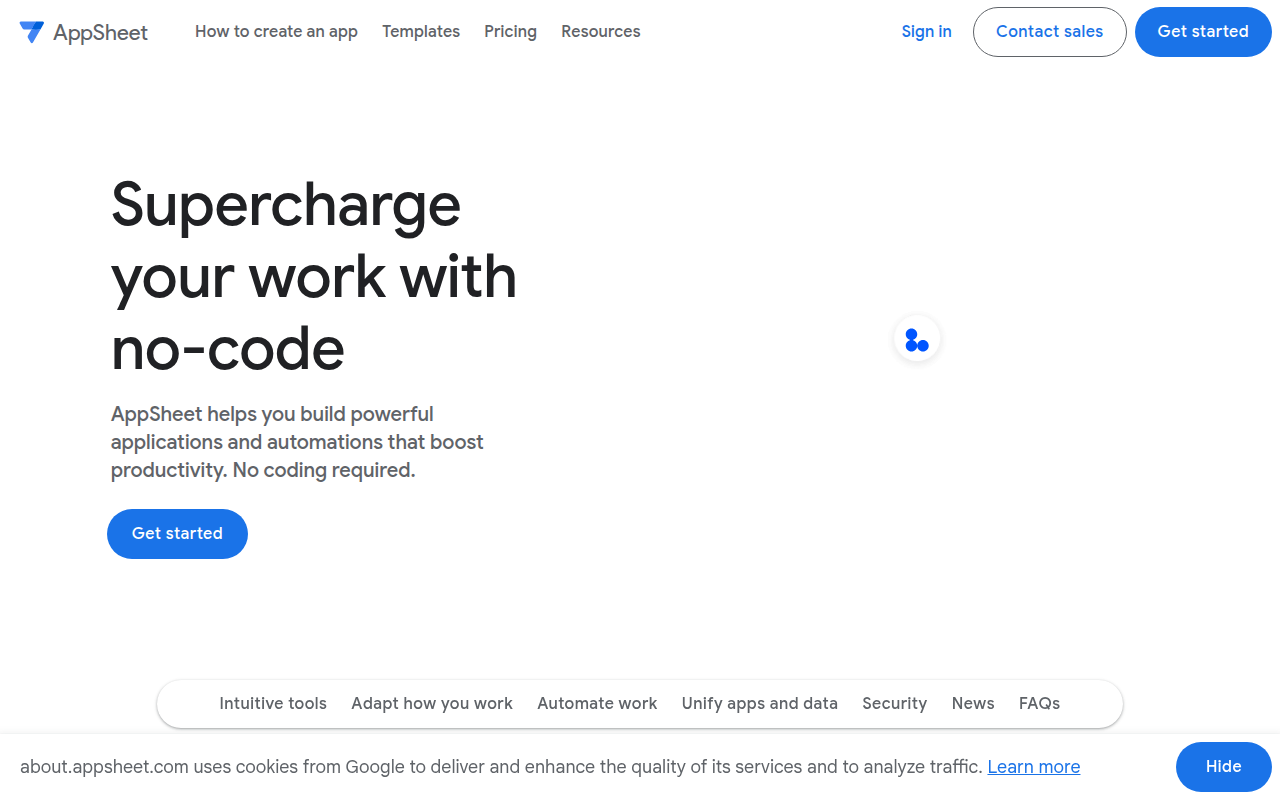
Google's no-code app platform for business workflows, data-driven apps, and Gemini-assisted app creation on top of Google Workspace and connected data sources.
Google AppSheet as a Lovable Alternative: Comparison & Decision Guide (2026)
Google AppSheet is a useful Lovable alternative for workflow-heavy business apps when spreadsheet-centric operations, Google Workspace integration, and AI-assisted app creation matter more than startup-style product freedom. The central question is not whether Google AppSheet can generate an app with AI. The real question is whether its default workflow is a better fit than Lovable for the kind of product or business software you need to own after launch.
Google AppSheet is best for operations teams, IT departments, internal tool owners, Google Workspace-heavy companies, and business teams that need structured apps tied to Sheets, automation, and permissions. That matters because buyers looking for a Lovable alternative often assume every AI app builder solves the same problem. In practice, these platforms split into very different camps: product-first builders, workflow-first no-code suites, mobile-native generators, and credit-driven AI software studios. Google AppSheet only becomes a smart switch if its strengths line up with the shape of your app, the skill profile of the people maintaining it, and the type of risk you can tolerate after the first draft goes live.
The safest way to read this page is as a decision aid, not as marketing copy. Instead of asking whether Google AppSheet is generally better than Lovable, ask whether it removes the most painful part of your own workflow. If it shortens the path to the app you actually need, the tradeoffs can be worth it. If its strongest differentiators do not matter in your case, Lovable usually remains the simpler default.
Google AppSheet vs. Lovable: Quick Comparison
| Dimension | Google AppSheet | Lovable |
|---|---|---|
| Primary approach | internal tools, workflow apps, approval systems, field operations, chat-integrated apps, and data-driven business software inside a Google-centric stack | Prompt-first web app builder for startup-style products and MVPs |
| No-code support | Very strong; AppSheet has long been positioned as a no-code app builder and now layers Gemini-assisted app creation into that story | Strong for prompt-driven product creation, but still closer to product-building than business-software administration |
| Learning curve | Lower than Lovable for spreadsheet-minded operators, but more rigid once the app needs product-style UX freedom or more custom software behavior | Usually low for first drafts, then rises as product complexity and prompt precision grow |
| Output stack | Managed no-code business app platform with automation, chat app publishing, data connectors, and Gemini-assisted creation | Web app output with a stronger product-MVP orientation |
| AI capability | AppSheet publicly says you can go from idea to app in minutes, describe what you want the app to do, and let Gemini do the work | Prompt-to-app generation with iterative edits |
| Visual editing | Yes; AppSheet is a mature no-code platform where generation sits alongside a traditional configuration and refinement experience | Yes |
| Figma import | Not publicly documented | Not publicly emphasized as the core differentiator |
| Templates / starter projects | Template library and how-to-create-an-app resources are publicly linked from the official navigation | Templates and starter projects are part of the broader Lovable workflow |
| Deployment | Hosted deployment for business apps plus one-click publishing for Google Chat integrations | Hosted web deployment for generated apps |
| Custom domain | Not publicly documented in the accessible official marketing copy reviewed for this run | Supported for public product launches |
| Database | AppSheet connects to spreadsheets, file storage providers, AppSheet database, and other business data sources | Managed database path for generated apps |
| Authentication | Role-based and enterprise-friendly access control are part of the platform's long-standing product story | Auth support for generated apps |
| Mobile support | Strong; AppSheet has always been oriented toward mobile-friendly business apps and field workflows as well as browser access | Mostly web-first |
| Git/GitHub workflow | Not publicly documented | Closer to code ownership than classic no-code tools |
| Code export / portability | Portability is weaker than Lovable because AppSheet's value comes from staying inside its managed no-code and Workspace-adjacent environment | A major buyer expectation in the Lovable category |
| Collaboration | Strong for companies already living in Google Workspace because users, business data, and AI-assisted creation stay close to the broader Google stack | Useful for startup teams, but not primarily an enterprise workflow suite |
| Error handling / debugging | Better for workflow, data, and automation refinement than for engineering-style debugging or custom product behavior | Product iteration is smoother than deep enterprise workflow debugging |
| Support quality | Very strong; official support docs, pricing detail, Workspace positioning, and enterprise-oriented documentation are all mature and extensive | Documentation and community-driven onboarding |
| Pricing model | AppSheet can look cheap at first glance, but its per-user economics and enterprise plan layering make it less predictable than Lovable for public-facing products.; The platform is more compelling when the app replaces spreadsheets, approval chains, or manual operations because the operational ROI can justify per-user pricing.; For public apps, Publisher Pro changes the pricing shape entirely, which matters because the cost model is not optimized for the same type of startup product Lovable targets. | Builder-style plans and credit logic |
| Free plan | Use the platform and test apps with up to 10 users at no cost | Usually suitable for prototyping and evaluation |
| Paid plans | Official pricing starts at $5/user/month for Starter, $10/user/month for Core, and $20/user/month for Enterprise Plus, with Publisher Pro at $50 per app per month for public apps | Paid tiers unlock more serious product work |
What Google AppSheet Does Differently
It is built around business operations and connected data, not startup product identity
AppSheet shines when the app is a workflow instrument attached to Sheets, Google Chat, or business data sources. Lovable is stronger when the app is a product experience in its own right.
Its AI story is embedded inside a mature no-code platform
That makes the generated result more operationally grounded, but also less flexible than Lovable for teams that want a broad product canvas.
Google ecosystem leverage is the real moat
For Workspace-heavy organizations, AppSheet can feel more practical than Lovable because automation, users, data, and Gemini live in the same broader environment.
Known Limitations
This is the part many alternatives pages soften, but it matters more than the headline feature list. AI app builders are easy to overrate during the first hour because the first generated result feels impressive. The harder question is what happens after the first build, when pricing, lock-in, maintenance, and workflow edge cases start to matter. These are the main limitations to keep in mind before treating Google AppSheet as a straight Lovable replacement.
- AppSheet is a weaker Lovable alternative for public startup products because per-user and app-based pricing fit business workflows better than product-led growth SaaS.
- The platform is more rigid than Lovable when the team needs custom UX, more expressive branding, or a product that feels less like internal software.
- Code ownership and exportability are not the public promise, so long-term portability is much weaker than code-oriented app builders.
- The strongest AI-assisted creation benefits are tied to paid Google Workspace licensing, which increases ecosystem dependence.
Who Should Choose Google AppSheet Over Lovable
Google AppSheet makes the most sense when its native strengths solve a real business or product constraint instead of simply looking novel in a demo. In practical terms, that means the tool should reduce the hardest part of your delivery process more effectively than Lovable does. If the strongest reason to switch is only curiosity, you usually end up with migration overhead and no durable gain.
- Choose Google AppSheet when your team already uses Google Workspace heavily and the app is mainly a business workflow surface.
- Choose it when the data already lives in Sheets or related operational systems and you need to turn that data into a working app quickly.
- Choose it when Gemini-assisted app generation plus mature no-code controls are more valuable than web-product design freedom.
- Choose it when internal distribution, operations, and data governance matter more than startup product identity.
Another useful test is to imagine who owns the app three months after launch. If the future owner is a product-minded founder iterating on a web MVP, Lovable often stays easier to justify. If the future owner is an operator, a mobile-first team, or a business systems manager, Google AppSheet can become the more practical choice because its workflow may match their real maintenance job more closely.
When Lovable Is Better
Lovable remains one of the clearer product-first builders in this category. That means it often wins when the app needs to feel like a modern startup product, when the team wants to iterate quickly on a public-facing experience, or when the buyer is trying to preserve a cleaner path toward long-term product evolution. If any of the following points describe your project more accurately, staying with Lovable is usually the smarter move.
- Stay with Lovable when you are building a standalone product rather than a workflow app on top of business data.
- Stay with Lovable when pricing simplicity, front-end freedom, and product-like user experience matter more than Workspace integration.
- Stay with Lovable when code-minded evolution and broader product experimentation are strategic requirements.
- Stay with Lovable when your team does not already benefit from living inside Google's business software ecosystem.
Pricing and Cost Predictability
Pricing is one of the easiest places to make a bad decision with AI app builders because the visible monthly number rarely tells the full story. The real bill depends on how the tool meters usage, how many people need access, how often you iterate, and how expensive the app becomes after it starts doing useful work in production. That makes cost predictability just as important as the official plan page.
- AppSheet can look cheap at first glance, but its per-user economics and enterprise plan layering make it less predictable than Lovable for public-facing products.
- The platform is more compelling when the app replaces spreadsheets, approval chains, or manual operations because the operational ROI can justify per-user pricing.
- For public apps, Publisher Pro changes the pricing shape entirely, which matters because the cost model is not optimized for the same type of startup product Lovable targets.
Official pricing starts at $5/user/month for Starter, $10/user/month for Core, and $20/user/month for Enterprise Plus, with Publisher Pro at $50 per app per month for public apps
Prices are subject to change. Check the official pricing page before making a production choice.
Decision Matrix
The easiest way to choose between AI app builders is to stop asking which one is generally best and start asking which one is best for the exact app you are trying to ship. The shortcuts below capture the practical split between Google AppSheet and Lovable for the most common buying scenarios.
- Need an internal workflow app tied to Sheets, automations, and Workspace users: Google AppSheet
- Need a public-facing startup MVP with more product freedom: Lovable
- Need Gemini-assisted business app generation inside Google's ecosystem: Google AppSheet
- Need a builder that feels closer to product creation than business software administration: Lovable
Lock-In, Ownership, and Long-Term Risk
AppSheet is one of the clearest lock-in choices in this category because the whole point is to stay close to Google data, Google users, and Google-administered workflows. That is an advantage for internal tools and a disadvantage for software teams that want independence.
If the app is an operational layer on top of business data, that lock-in can be rational. If the app is a standalone product, the same dependency becomes harder to justify than Lovable.
That long-term ownership question matters because switching costs often appear later than buyers expect. The first build can feel cheap and fast, while the real dependency grows quietly through templates, automations, hosted data, publishing workflows, or team habits. A good Lovable alternative should not only impress in the first session; it should also make sense as the app becomes a maintained asset.
Workflow Fit for Teams
Compared with Lovable, AppSheet is much more about operational software than product creation. It fits organizations that judge success by replacing manual process work, not by creating a differentiated app experience from scratch.
It is a weaker fit for founders who want a neutral AI builder for a new product idea and do not want to buy into the larger Google business stack.
In other words, team fit matters just as much as feature fit. A builder that looks strong on paper can still be the wrong choice if the people maintaining it think in a completely different way than the platform expects. That is why workflow alignment is often the hidden difference between a tool that actually ships value and one that becomes another abandoned experiment.
What Builders Are Saying
External reviews and alternatives roundups consistently treat AppSheet as a mature no-code platform for operational business apps. The praise focuses on speed with existing business data and Google-centric workflows; the caution centers on per-user pricing, ecosystem lock-in, and weaker fit for standalone product experiences.
- https://www.adalo.com/posts/appsheet-review-pros-cons-alternatives-2024/
- https://blog.tooljet.com/appsheet-alternatives/
- https://www.jotform.com/blog/appsheet-alternatives/
Final Verdict
Google AppSheet is a useful Lovable alternative for workflow-heavy business apps when spreadsheet-centric operations, Google Workspace integration, and AI-assisted app creation matter more than startup-style product freedom.
The best next step is to rebuild one small but real workflow, screen, or user path in both tools. If Google AppSheet solves the long-term operational or product problem more honestly than Lovable does, it deserves serious consideration. If it only looks impressive during the first few prompts, Lovable is probably still the stronger default for your use case.
Sources
- https://about.appsheet.com/home/
- https://about.appsheet.com/pricing/
- https://support.google.com/appsheet/answer/13785572
- https://www.adalo.com/posts/appsheet-review-pros-cons-alternatives-2024/
- https://blog.tooljet.com/appsheet-alternatives/
- https://www.jotform.com/blog/appsheet-alternatives/
FAQ
Is Google AppSheet a good Lovable alternative?
Yes, for business workflows. It is useful when the app is mainly an operational tool tied to data and Workspace, not a product-first startup MVP.
Does AppSheet support AI-assisted app creation?
Yes. Google says Gemini can help you go from idea to app in minutes, and AI-assisted creation is available for paid Google Workspace licenses.
Who should choose AppSheet over Lovable?
Google-centric operations teams. It is strongest for internal tools, workflow apps, and data-driven business software.
What is the biggest tradeoff?
Ecosystem gravity. AppSheet is powerful inside Google's stack, but much less attractive if you want product freedom and long-term independence.