
Layout
Contact
Layout
Full-stack AI app builder for founders and developers with GitHub sync, Supabase, Stripe, MCP connectivity, and source-code download on paid plans.
Layout as a Lovable Alternative: Comparison & Decision Guide (2026)
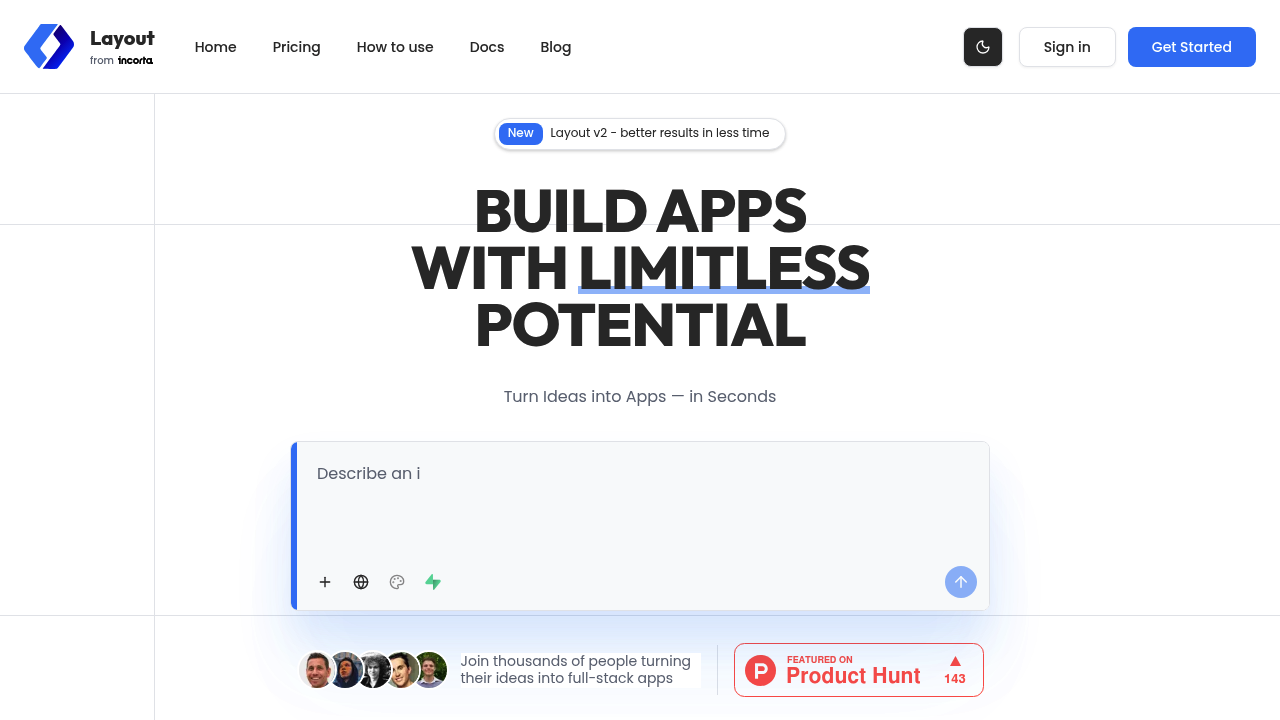
Layout is one of the closer Lovable alternatives if you want fast prompt-to-app generation but still care about source code and developer-oriented integrations. For builders comparing it directly with Lovable, the real question is not whether it can generate an app from prompts. The real question is whether its workflow matches the kind of app you need to own after day one.
Layout is best for founders, solo builders, designers with technical ambitions, and small teams who want full-stack generation with a clearer path to code ownership than many browser builders offer. If your project needs a closer match to a startup-style product builder with broad product flexibility, Lovable usually stays easier to justify.
Layout vs. Lovable: Quick Comparison
| Dimension | Layout | Lovable |
|---|---|---|
| Primary approach | full-stack web apps, startup MVPs, internal tools, and experimental products that may later move into a normal repo workflow | Prompt-first web app builder for startup-style products and MVPs |
| No-code support | Good, though it still speaks more comfortably to technical users than pure no-code business tools do | Strong for prompt-driven product creation, but still closer to product-building than business-software administration |
| Learning curve | Moderate; easier than coding from scratch, but more developer-leaning than Zite or monday vibe | Usually low for first drafts, then rises as product complexity and prompt precision grow |
| Output stack | Full-stack generated web apps with Supabase, Stripe, GitHub, and custom MCP connectivity | Web app output with a stronger product-MVP orientation |
| AI capability | Prompt-to-app generation with iterative edits and full-stack structure | Prompt-to-app generation with iterative edits |
| Visual editing | Yes, with generated UI and iterative changes | Yes |
| Figma import | Not publicly documented | Not publicly emphasized as the core differentiator |
| Templates / starter projects | Community projects and remixable app examples | Templates and starter projects are part of the broader Lovable workflow |
| Deployment | Hosted deployment and live apps on free and paid plans during the current public offer | Hosted web deployment for generated apps |
| Custom domain | Not publicly documented on the pricing page | Supported for public product launches |
| Database | Supabase and managed Postgres are part of the public product story | Managed database path for generated apps |
| Authentication | Supabase-based auth path is part of the public stack story | Auth support for generated apps |
| Mobile support | Web-app first; mobile-specific output is not the lead positioning | Mostly web-first |
| Git/GitHub workflow | Yes; GitHub sync is publicly highlighted | Closer to code ownership than classic no-code tools |
| Code export / portability | Download source code on Pro | A major buyer expectation in the Lovable category |
| Collaboration | Teams plan is announced, but the public pricing page still marks it as coming soon | Useful for startup teams, but not primarily an enterprise workflow suite |
| Error handling / debugging | Closer to code-oriented iteration than classic no-code builders, though still browser-first | Product iteration is smoother than deep enterprise workflow debugging |
| Support quality | Community support on free, with early-feature access on paid tiers | Documentation and community-driven onboarding |
| Pricing model | The free plan is usable for evaluation, but the 3-credit daily cap is a real limit if you iterate heavily in bursts.; Pro is where Layout becomes materially more practical because it unlocks private apps, source-code download, and a larger monthly credit pool.; Teams is promising for collaboration, but because pricing is not final and the plan is still marked coming soon, larger-team buyers still have to accept roadmap risk. | Builder-style plans and credit logic |
| Free plan | Free with 20 monthly credits and a 3 daily credit limit | Usually suitable for prototyping and evaluation |
| Paid plans | Pro is currently $25/month at a 50% promotional rate and includes 200 monthly credits plus source download | Paid tiers unlock more serious product work |
What Layout Does Differently
It stays closer to developer reality than many no-code builders
Layout publicly leans on GitHub sync, source-code download, Supabase, Stripe, and even custom MCP connectivity. That makes it feel less like a sealed app generator and more like a browser-first front door into a toolchain developers can keep using after the first prompt.
Its full-stack story is clearer than a lot of lightweight vibe builders
Many Lovable alternatives can produce a flashy UI and little else. Layout is more explicit about back-end pieces such as database setup, auth, and payments, which makes it easier to evaluate as a serious MVP platform instead of a rapid mockup tool.
It rewards technical operators more than pure no-code teams
The product is still accessible, but the best value shows up when the user can appreciate GitHub continuity, source-code export, and infrastructure choices. Lovable is often easier for broad product ideation; Layout is stronger when the team already knows it wants something closer to a real stack.
Known Limitations
- The credit model is still restrictive on the free tier, so casual testing can feel generous while serious iteration quickly pushes you toward paid usage.
- Teams pricing is not mature yet, which creates planning risk if you need collaboration, permissions, and centralized controls right now.
- It is more technical than business-app-first tools, so purely non-technical teams may find the flexibility exciting but less calming than Lovable's simpler experience.
- Public documentation is strong on the product story but still lighter on long-term governance, support depth, and enterprise-grade operational detail than mature app platforms.
Who Should Choose Layout Over Lovable
Layout makes more sense when the app is tightly shaped by its native strengths instead of by generic vibe-coding hype. In practice, that means you should choose it when its platform model directly reduces the hardest part of your workflow, not simply because it can also turn prompts into a UI.
- Choose Layout when you want a Lovable-like generation loop but care more about code ownership, GitHub sync, and stack-level integrations.
- Choose Layout when the app needs a realistic full-stack path with auth, data, and payments close to the first draft.
- Choose Layout when a founder or technical operator expects the project to move into a normal engineering workflow later.
- Choose Layout when browser speed matters, but you do not want the output to feel sealed inside a black box.
When Lovable Is Better
This is the section many alternative pages weaken, but it matters here because Lovable is still one of the clearer product-first builders in the category. If your use case leans toward a standalone product, faster aesthetic experimentation, or a cleaner mental model for startup MVP work, Lovable can be the more sensible default.
- Stay with Lovable when the team values product ideation speed and UI experimentation more than code continuity and technical integrations.
- Stay with Lovable when a more approachable, product-first generation surface matters more than a developer-leaning stack story.
- Stay with Lovable when the project is still fuzzy enough that tight daily credit caps and paid gating feel premature.
- Stay with Lovable when you need a more established collaborative workflow today instead of waiting on a coming-soon Teams plan.
Pricing and Cost Predictability
Layout is not only about subscription price. It is about the shape of the bill once the app becomes useful, the number of people who touch it, and the platform rules that control ongoing iteration. That matters because the cheapest-looking AI builder can become the most expensive one if the limits map badly to the way your team actually works.
- The free plan is usable for evaluation, but the 3-credit daily cap is a real limit if you iterate heavily in bursts.
- Pro is where Layout becomes materially more practical because it unlocks private apps, source-code download, and a larger monthly credit pool.
- Teams is promising for collaboration, but because pricing is not final and the plan is still marked coming soon, larger-team buyers still have to accept roadmap risk.
Prices are subject to change. Check the official pricing page before making a production choice.
Decision Matrix
This comparison is easiest when you stop asking which tool is generally better and start asking which tool is better for the exact kind of app you are trying to ship. The following quick calls capture the practical split between Layout and Lovable.
- Need GitHub sync and source-code download early: Layout
- Need a broader product-first brainstorming surface: Lovable
- Need a realistic full-stack MVP with Stripe and Supabase nearby: Layout
- Need the least technical path for pure product exploration: Lovable
Lock-In, Ownership, and Long-Term Risk
Layout is one of the safer choices in this category if you are worried about being trapped, because paid plans openly include source-code download and the public messaging keeps GitHub in the frame. That does not remove lock-in completely, but it does reduce the fear that your only working version lives forever inside a managed browser builder.
The remaining lock-in question is really about workflow dependence, not code possession. If your team becomes used to Layout as the fastest way to scaffold and revise apps, you still have product-process dependence even if the code can leave later.
Workflow Fit for Teams
Compared with Lovable, Layout feels like a slightly more technical fork in the same family: still fast, still browser-first, but more comfortable when the app is expected to become a real engineering asset. That can be a better fit for technical founders who want generation speed without losing the thread to GitHub, auth, and payments.
It is less ideal for teams that mainly want a polished AI product builder without thinking about stack choices or future repo handoff. In those cases, Lovable can feel more direct.
What Builders Are Saying
External coverage frames Layout as a builder for founders and developers who want React-style prototypes and clean code faster than hand-coding. The strongest positive signal is code quality and speed; the main open question is whether the still-emerging team and governance layer is mature enough for larger shared workflows.
- https://completeaitraining.com/ai-tools/layoutdev/
- https://briefglance.com/articles/incorta-acquires-layoutdev-to-forge-agentic-ai-future-for-enterprises
- https://vibecoding.app/blog/ai-app-builder-pricing
Final Verdict
Layout is one of the closer Lovable alternatives if you want fast prompt-to-app generation but still care about source code and developer-oriented integrations.
The best way to test the fit is to rebuild one small but real workflow or product slice in both tools. If Layout solves the long-term operational problem more honestly than Lovable does, it deserves the switch. If it only looks impressive in the first ten minutes, Lovable is probably still the stronger default.
Sources
- https://layout.dev/
- https://layout.dev/pricing
- https://layout.dev/blog/getting-started-with-layout
- https://completeaitraining.com/ai-tools/layoutdev/
- https://briefglance.com/articles/incorta-acquires-layoutdev-to-forge-agentic-ai-future-for-enterprises
- https://vibecoding.app/blog/ai-app-builder-pricing
FAQ
Is Layout a close Lovable alternative?
Yes. Layout is one of the closer Lovable alternatives for users who want fast app generation plus a clearer path to source code and GitHub.
Does Layout let you download source code?
Yes on Pro. The public pricing page explicitly lists source-code download as a Pro feature.
Who should choose Layout over Lovable?
Technical founders and small teams. It is especially compelling for builders who want full-stack momentum without losing sight of GitHub, Supabase, and payments.
What is the biggest caution?
Team maturity. The still-coming-soon Teams plan means collaborative governance is less proven than the individual builder story.