Opcode
Desktop GUI wrapper that transforms Claude Code into a visual development environment
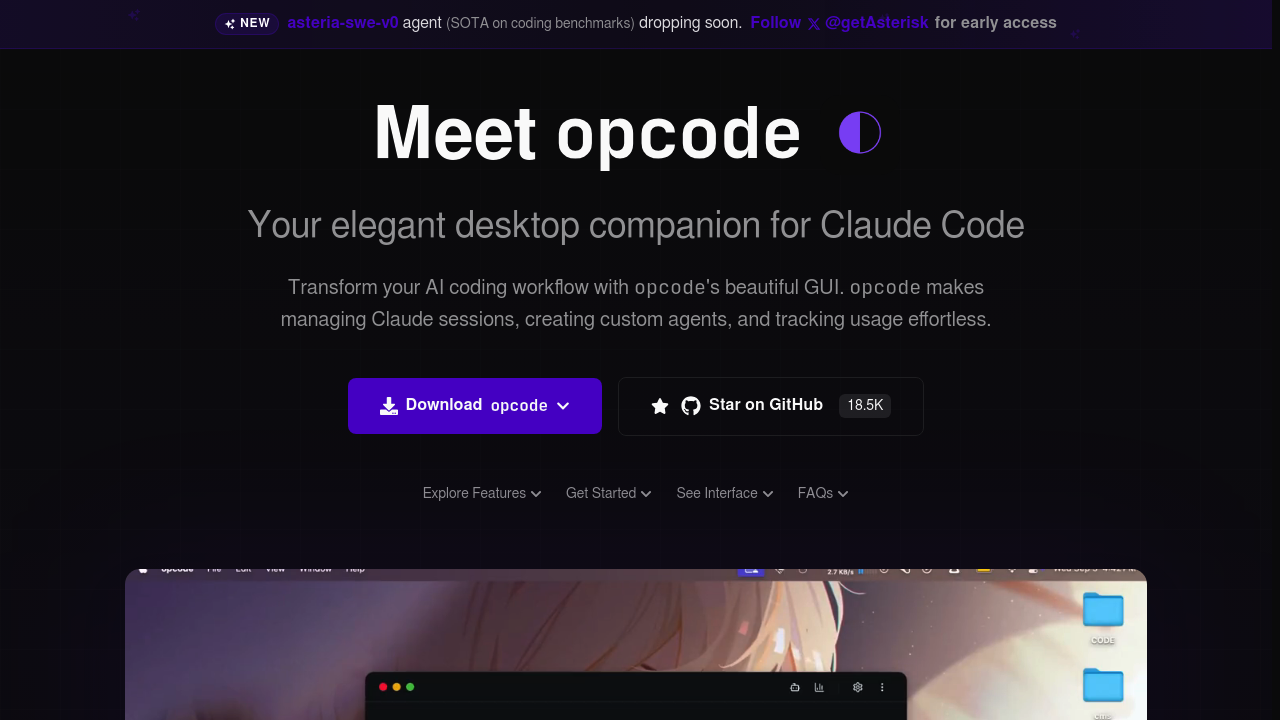
Opcode - Lovable alternative
Opcode is an open-source desktop application providing a graphical interface for Claude Code. It offers project management, customizable agents, usage analytics, and MCP server integration. Solo developers benefit from visual session management and cost tracking without leaving their terminal-based workflows.
Strengths
- Visual project browser enables quick navigation through Claude Code projects and session restoration.
- Custom CC Agents run in isolated background processes with configurable permissions.
- Usage analytics dashboard tracks model consumption and costs with export capabilities.
- MCP server registry allows connection testing and management of external model servers.
- All data stored locally with no telemetry or data collection.
- Application itself is completely free, users only pay Claude API usage fees.
Weaknesses
- Requires existing Claude Pro, Max, Team, or Enterprise subscription for Claude Code access.
- Built with React and Tauri requiring technical setup for building from source.
- Limited to Claude models only, no multi-model provider support.
- Smaller community compared to established IDE-based AI tools.
- Documentation primarily in technical GitHub format.
Best for
Developers wanting local GUI management of Claude Code sessions and agents, teams monitoring model usage and costs, users requiring isolated persistent agents and session checkpoints.
Pricing plans
- Free — $0/month — Opcode application is free; users only pay Claude API usage fees.
- Claude Pro — $20/month — 10-40 Claude Code prompts per 5 hours with limited access.
- Claude Max $100 — $100/month — 5x higher usage limits than Pro plus limited Opus 4.1 access.
- Claude Max $200 — $200/month — 200-800 prompts per 5 hours including Opus 4 access.
Tech details
- Type: Desktop GUI wrapper for Claude Code terminal tool
- IDEs: Works alongside VS Code, JetBrains IDEs, and any terminal environment
- Key features: Visual project browser, session history, CC Agents with background processing, usage analytics dashboard, MCP server management, timeline checkpoints, CLAUDE.md management
- Privacy / hosting: Local storage only, all data stays on user machine, no telemetry, open source with AGPL license
- Models / context window: Claude Sonnet 4.5 (1M token context via API), Claude Opus 4.1, models determined by Claude subscription tier
When to choose this over Lovable
- You prefer terminal-based development workflows with visual oversight rather than browser-based builders.
- You need granular control over AI model usage and detailed cost tracking across projects.
- You require custom background agents with isolated processes and configurable permissions.
When Lovable may be a better fit
- You want to generate full-stack web applications from natural language prompts without terminal interaction.
- You need editable source code synced to GitHub with instant deployment capabilities.
- You prefer visual drag-and-drop refinement and multiplayer coding collaboration features.
Conclusion
Opcode serves as a Lovable alternative for developers committed to terminal-based workflows who need visual management of Claude Code sessions. Its strength lies in providing session management, custom agent creation, and detailed usage analytics while maintaining local data control. The free desktop application combined with transparent Claude API pricing makes it cost-effective for solo developers. However, it operates within Claude Code's ecosystem exclusively, whereas Lovable generates deployable web applications through conversational prompts.
Sources
- Official site: https://opcode.sh/
- GitHub repository: https://github.com/winfunc/opcode
- Documentation: https://jimmysong.io/en/ai/opcode/
FAQ
What is Opcode and how does it relate to Claude Code?
Opcode is an open-source desktop GUI application that wraps Claude Code, providing visual project management, custom agent creation, usage analytics, and MCP server integration. It transforms the command-line Claude Code experience into a more accessible graphical interface.
Do I need to pay for Opcode separately from Claude?
No, the Opcode application itself is completely free. You only pay for Claude API usage fees. However, you need a Claude Pro, Max, Team, or Enterprise subscription to access Claude Code.
What are CC Agents in Opcode?
CC Agents are custom agents that run in isolated background processes within Opcode. They allow you to create specialized coding assistants with different configurations, permissions, and purposes for various development tasks.
How does Opcode handle privacy and data security?
Opcode prioritizes privacy through process isolation, configurable permission control, local-only storage, no telemetry or data collection, and full transparency via open source code. All conversation and project data remains on your local machine.
Can Opcode work with models other than Claude?
No. Opcode is specifically designed as a wrapper for Claude Code and only supports Claude models (Sonnet 4.5 and Opus 4.1). It does not integrate with other AI providers like OpenAI, Google, or local models.
What platforms does Opcode support?
Opcode supports macOS (.dmg), Linux (.AppImage and .deb), and Windows platforms. It's built with Tauri 2 for cross-platform desktop compatibility.