Plasmic
Contact
Plasmic
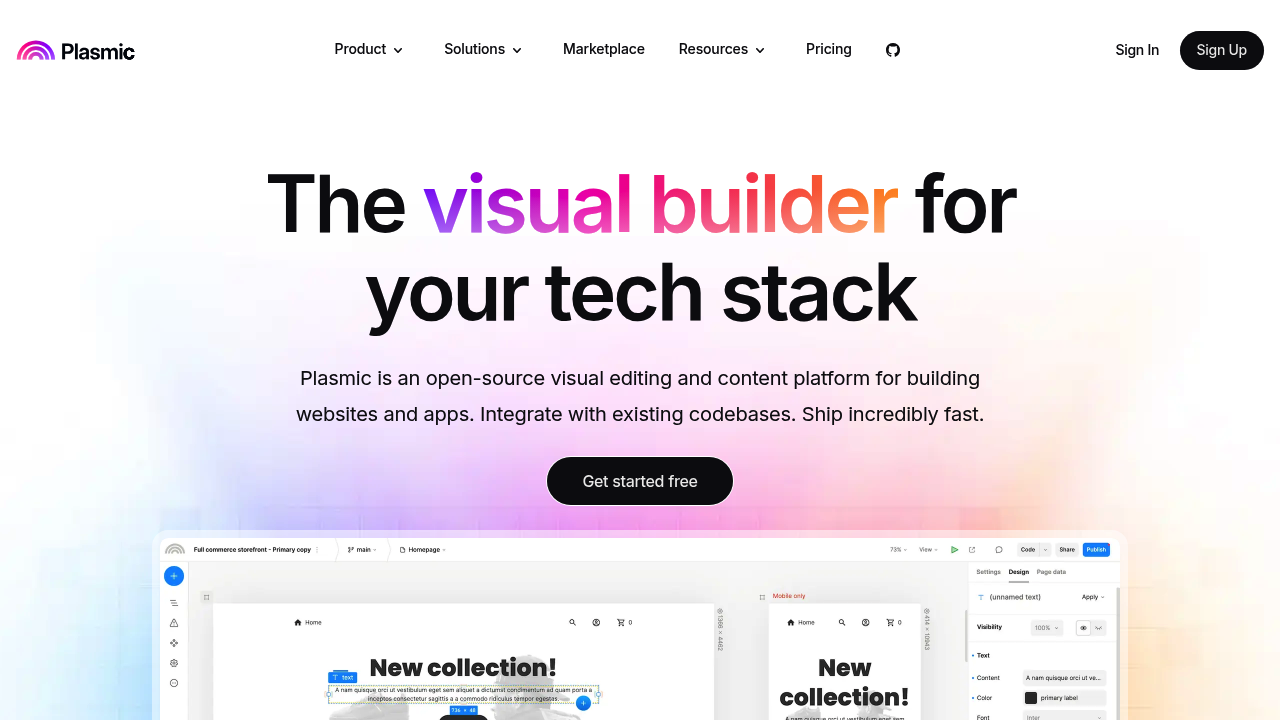
Visual web builder and headless CMS that integrates with your existing codebase — for design-developer teams who need pixel-precise UI with real React component output.
Plasmic as a Lovable Alternative: Comparison & Decision Guide (2026)
Plasmic is a visual web builder and headless CMS that lets designers and developers build production UI components, pages, and content without constant back-and-forth between tools. It is a credible Lovable alternative specifically for teams that need deep visual control over their frontend while still integrating with an existing codebase — something Lovable does not currently support.
Compared to Lovable, Plasmic is more design-precise and developer-extensible: it outputs real React components that plug into your existing repo. The tradeoff is that Plasmic's sweet spot is teams with at least one developer, whereas Lovable is genuinely usable by solo non-technical founders from day one.
Pure no-coders building their first app without any technical co-founder will find Plasmic's learning curve significantly steeper than Lovable's conversational AI interface.
Plasmic vs. Lovable: Quick Comparison
| Decision area | Plasmic | Lovable |
|---|---|---|
| Primary approach | Visual UI builder + headless CMS integrated into existing codebases | AI chat-to-code generation for new apps |
| No-code support | Partial — visual editor is no-code, but full power requires developer setup | Partial — prompts generate code, limited visual editing |
| Learning curve | Moderate-to-high — requires understanding of components, slots, and integration concepts | Low — natural language prompts for beginners |
| Output stack | React components integrated into your own repo (Next.js, Gatsby, etc.) | React + Supabase (exportable, standalone) |
| AI capability / builder style | Limited AI features; primary interaction is visual design | AI-first; natural language is the primary interface |
| Visual editing | Yes — pixel-precise visual canvas with full layout control | Limited — text-based with some visual adjustments |
| Figma import | Yes — Figma-to-Plasmic import supported | Not publicly documented |
| Templates / starter projects | Yes — template library available | Yes — starter templates available |
| Deployment | You deploy — Plasmic outputs to your own hosting/infrastructure | Managed cloud deployment on Lovable infrastructure |
| Custom domain | Yes — via your own hosting setup | Yes — on paid plans |
| Database | Not built-in — integrate your own backend (Supabase, Firebase, etc.) | Supabase integration built-in |
| Authentication | Not built-in — integrate your own auth provider | Via Supabase auth |
| Mobile support | Responsive design supported; native mobile: Not publicly documented | Responsive web apps; native mobile: Not publicly documented |
| Git/GitHub workflow | Yes — outputs directly to your repo; full Git-based workflow | Yes — GitHub sync supported |
| Code export / portability | Yes — React components are your own code, no lock-in | Yes — can export React/Supabase code |
| Collaboration | Yes — design collaboration with role-based access on paid plans | Collaboration features available |
| Error handling / debugging | Standard React/Next.js debugging — developer-facing | AI-assisted error correction |
| Support quality / onboarding help | Docs, tutorials, Slack community, enterprise support | Documentation, community, AI-assisted help |
| Pricing model | Seat-based SaaS tiers | Credit/token-based pricing |
| Free plan | Yes — Free plan at $0/mo | Yes — limited free tier |
| Paid plans | Starter ($39/mo), Pro ($103/mo), Scale ($399/mo), Enterprise (custom) | Starter and Pro plans with credit bundles |
What Plasmic Does Differently
Integrates Into an Existing Codebase
Plasmic's defining feature is that it doesn't replace your codebase — it plugs into it. Developers install the Plasmic SDK, define component slots, and designers can then visually edit those components in the Plasmic editor without touching code. The output is rendered in your own Next.js or React app.
This matters for teams that already have a live product and want to give non-developers the ability to update pages and UI without opening a code editor. Lovable, by contrast, is designed to create new apps from scratch, not augment existing codebases.
Pixel-Precise Visual Design Control
Plasmic's visual editor offers design-tool-level precision: absolute and relative positioning, complex layouts, responsive breakpoints, and design tokens — all configured visually. This is meaningfully more capable than Lovable's limited visual editing, which is primarily driven by AI-generated code rather than a design canvas.
For teams where a designer needs to own the look and feel of an interface without depending on AI interpretation of their intent, Plasmic provides the kind of control that design tools like Figma offer — with the added ability to publish directly to production.
Headless CMS for Content-Driven Sites
Plasmic doubles as a headless CMS: content editors can update structured page content (hero sections, blog posts, landing pages) through a visual UI, while developers control the data schema and rendering. This makes Plasmic well-suited for marketing sites, documentation portals, and content-heavy products.
Lovable doesn't have a comparable CMS layer. If your product includes content that needs regular updates by non-developers (without triggering a full AI rebuild), Plasmic's CMS model is a meaningful advantage.
Known Limitations
- Requires developer involvement for initial setup: Plasmic's full capability — including codebase integration, component registration, and deployment — requires developer-level setup. Non-technical founders cannot use Plasmic to launch a full-stack app independently the way they can with Lovable. This is not a tool for solo no-coders building their first product without technical help.
- No built-in database or backend: Unlike Lovable (which bundles Supabase) or Momen (which has a built-in database), Plasmic is purely a frontend/CMS tool. You need to supply and connect your own backend, database, and auth system. This adds significant scope to any project that requires user accounts or data persistence.
- AI generation is limited compared to Lovable: Plasmic's AI features are supplementary. If your workflow relies heavily on "describe a feature in plain language and have it built," Lovable's AI is substantially more capable for that use case. Plasmic is primarily a visual tool, not an AI coding assistant.
- Pricing scales with team seats: Plasmic's paid plans are priced per seat ($39/mo Starter, $103/mo Pro per seat). For teams of 3 or more with multiple editors, monthly costs can grow quickly compared to Lovable's credit-based model where a single builder can generate substantial output.
- Steeper learning curve for non-technical users: Even the no-code visual editing experience in Plasmic requires understanding concepts like slots, components, and data bindings that aren't intuitive for true beginners. Budget meaningful onboarding time before expecting productivity.
Who Should Choose Plasmic Over Lovable?
- Teams with an existing React codebase who want non-developers to edit UI: Plasmic is purpose-built for this. Developers configure the integration once; designers and content editors then own their part of the UI without code access.
- Design-led teams building marketing or content-driven products: If visual precision and design control are primary requirements (pixel-accurate layouts, design tokens, responsive breakpoints), Plasmic's canvas is more capable than any AI-generated output from Lovable.
- Products that need a headless CMS for content editors: Companies that need a structured content editing experience for marketing pages, documentation, or blog content — without a traditional CMS like WordPress — will find Plasmic's CMS layer a better fit than Lovable.
- Developers building client-facing products where the client needs to edit content: Plasmic is a popular choice for agencies and freelancers who need to hand clients a visual editing interface for their own site, without giving them access to the codebase.
When Lovable Is Still the Better Choice
- You're building from scratch without a developer: Lovable can take a non-technical founder from idea to working app independently. Plasmic requires developer setup for full functionality and is not a solo no-coder tool.
- You need a complete full-stack solution out of the box: Lovable bundles frontend, backend (Supabase), auth, and deployment. Plasmic only covers the frontend and CMS layer — you assemble the rest yourself.
- You want AI-first iterative building: Lovable's conversational AI lets you describe changes in plain English and get them implemented rapidly. Plasmic's AI assistance is limited; iteration happens through the visual canvas or code changes.
- You're prototyping quickly to validate an idea: Lovable's speed from prompt to working demo is hard to match for early-stage validation. Plasmic's setup overhead is better justified for longer-term projects with a defined team structure.
Pricing Comparison & Cost at Scale
Plasmic Pricing Overview
- Free: $0/mo — limited projects and collaborators
- Starter: $39/mo per seat
- Pro: $103/mo per seat
- Scale: $399/mo per seat
- Enterprise: Custom pricing
Lovable Pricing Overview
- Free plan: Limited monthly credits
- Starter and Pro: Credit bundles — cost depends on build frequency and complexity
Cost-at-Scale Analysis
| Scenario | Plasmic | Lovable | Notes |
|---|---|---|---|
| Solo founder, prototyping | Free plan available | Free plan available | Lovable has lower learning curve for solo use |
| Designer + 1 developer team | ~$78–206/mo (2 seats, Starter/Pro) | Paid plan — credit-based | Plasmic costs grow linearly with seats |
| 5-person team | $195–515/mo (5 seats, Starter/Pro) | One paid plan often covers team | Plasmic seat costs can significantly exceed Lovable at team scale |
| Client editing (agency use) | Plasmic is purpose-built for this | Not purpose-built for client handoff | Plasmic wins for agency/client content editing use cases |
Prices are subject to change. Verify current plans at plasmic.app/pricing before committing.
How Plasmic Compares to Other Lovable Alternatives
- Plasmic vs. Webflow: Both are visual web builders, but Webflow is a complete website hosting platform while Plasmic is primarily a design/CMS layer that plugs into your own stack. Webflow is more self-contained; Plasmic is more extensible for developer teams.
- Plasmic vs. Framer: Framer is also a visual builder but is more focused on marketing sites and interactive prototypes. Plasmic's codebase integration and headless CMS features make it better suited for product teams with existing codebases.
- Plasmic vs. Momen: Momen is more accessible to non-technical users as a full-stack no-code tool. Plasmic is more powerful for teams with developer involvement. Choose Momen for full-stack no-code; choose Plasmic when you have a codebase to integrate with.
FAQ
Is Plasmic free?
Yes — Plasmic has a free plan at $0/mo. Paid plans start at $39/mo per seat (Starter). The free plan has limits on projects and collaborators; check plasmic.app/pricing for current free tier limits.
Can Plasmic replace Lovable for building a new app from scratch?
Only partially. Plasmic covers the frontend UI layer well, but it does not include a built-in backend, database, or auth system. Replacing Lovable fully would require assembling Plasmic with additional tools (e.g., Supabase, Vercel, Auth0). For a solo non-technical founder, that assembly requires developer skills Lovable doesn't require.
Is Plasmic good for beginners with no coding background?
Partially. The visual editor is accessible to non-coders for editing existing pages and content. But setting up a Plasmic project from scratch — integrating it with a codebase, configuring components, and deploying — requires developer knowledge. Plasmic is not a true solo no-code platform for app creation.
Do I need to know how to code to use Plasmic?
For content editing and visual page updates, no. For initial project setup, codebase integration, and deployment, yes — developer involvement is required. Plasmic is best described as a tool that bridges developers and non-developers on the same project, not a fully code-free platform.
How does Plasmic compare to Lovable for a marketing site?
Plasmic is often stronger for marketing sites where content editors need ongoing visual control. Lovable is faster for initial creation but lacks Plasmic's structured CMS editing experience. If your marketing team needs to update pages regularly without developer help, Plasmic's editing model is purpose-built for that scenario.
Does Plasmic support Figma import?
Yes. Plasmic supports importing designs from Figma, which allows designers to start with their Figma mockups and translate them into production-ready Plasmic components. This is a meaningful advantage for design-led teams compared to Lovable, which does not publicly document Figma import support.