Polymet
Contact
Polymet
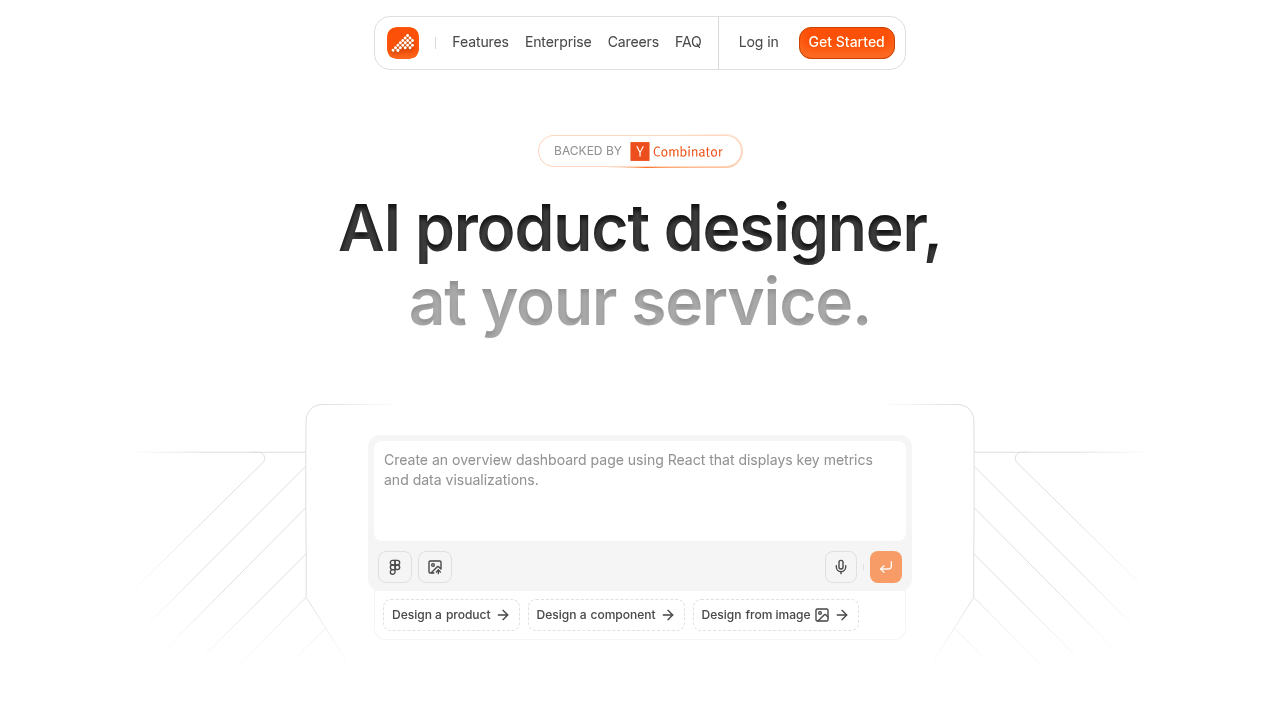
Polymet is an AI Product Designer that generates production-ready UI designs and frontend React code from natural language. It supports bringing your own design system, Figma import/export, Storybook integration, and private npm packages.
Polymet as a Lovable Alternative: Comparison & Decision Guide (2026)
Polymet is a focused Lovable alternative for product teams and non-designers who need production-ready UI designs and frontend code without hiring a designer. It acts as an AI product designer: describe your interface, and Polymet generates design-system-aware React components you can export to GitHub or iterate in a visual editor. Do NOT choose Polymet if you need a full-stack app with backend, database, or user auth — Polymet is a UI design and frontend code tool, not a complete application platform.
Polymet vs. Lovable: Quick Comparison
| Feature | Polymet | Lovable |
|---|---|---|
| Primary use case | AI product designer + frontend code | AI full-stack app builder |
| Target user | PMs, founders, non-designers | Non-technical founders & builders |
| AI capability | UI design generation, component creation | Full app generation from prompts |
| Code output | React + production-ready frontend code | React + Supabase scaffolding |
| Design system support | Yes — bring your own design system | Limited |
| Figma integration | Import and export Figma files | No direct Figma plugin |
| Visual editor | Yes — full layout, spacing, color control | Limited visual editor |
| GitHub integration | Yes | Yes |
| Backend / database | Not included | Supabase (integrated) |
| Hosting | Not included (deploy your own) | Built-in hosting |
| npm packages | Public & private npm support | Limited |
| Storybook integration | Yes | No |
| Free plan | Yes (limited credits) | Yes (limited credits) |
| Pricing start | From $50/month (paid plans) | From $20/month |
What Polymet Does Differently
Polymet is purpose-built as an AI product designer rather than a full-stack app builder. You describe the page or component you want, and Polymet generates a complete, design-system-aware UI — not just a wireframe but production-ready React code. This fills the exact gap between product ideation and engineering handoff that traditionally requires a designer.
The platform lets you bring your own design system — import your Storybook, existing component library, or Figma tokens — and Polymet's AI will generate new pages and components that match your existing visual language. This is a critical advantage for product teams that already have a style guide and want to extend it, not replace it.
Polymet integrates Figma import and export, allowing designers to round-trip between Figma and Polymet. You can import a Figma file, let AI suggest implementations, then export back to Figma or directly to code. This bidirectional workflow is not available in Lovable.
The visual editor in Polymet gives full control over layout, spacing, colors, and typography without code. Combined with a live code editor for developers, Polymet serves both design-leaning and code-leaning users on the same interface.
Known Limitations
- No backend or database: Polymet generates frontend UI code only. Unlike Lovable, there is no Supabase integration, no auth, and no API generation. You must build or connect the backend yourself.
- Higher price point than Lovable: Paid plans start at $50/month, making Polymet more expensive than Lovable's $20/month Launch plan. For solo founders on a budget, this is a meaningful difference.
- No built-in hosting: Polymet exports code but does not host your app. You need Vercel, Netlify, or another deployment platform. Lovable includes hosting out of the box.
- Less suitable for zero-code users: While Polymet lowers the bar compared to hiring a designer, it still assumes the user will eventually work with or hand off code. Truly non-technical users may find Lovable's end-to-end flow easier.
- Focused on UI components, not full app flows: Polymet is weaker than Lovable when you need complex multi-page app logic, routing, and state management as part of the initial generation.
Who Should Choose Polymet Over Lovable?
- Product managers who need prototypes: Polymet lets PMs create realistic, interactive UI prototypes without hiring a designer or writing code. Share live demos with stakeholders before committing to engineering.
- Startups with existing design systems: If you have a Storybook or component library, Polymet can generate new screens that fit your brand. Lovable starts from scratch and doesn't respect existing conventions.
- Teams doing Figma-to-code translation: Polymet's Figma import/export makes it valuable for design teams that work in Figma but want AI to accelerate the code implementation step.
- Enterprise product teams: Polymet's GitHub, Storybook, and npm integration make it suitable for teams with DevOps maturity who want AI design help but need to stay within their existing toolchain.
When Lovable Is Still the Better Choice
- You need a complete app, not just UI: Lovable generates backend + frontend in one step. Polymet generates UI only, requiring you to build and integrate the backend separately.
- Budget is a constraint: Lovable starts at $20/month vs. Polymet's $50/month for paid plans, making Lovable more accessible for early-stage founders and solo developers.
- You want hosting included: Lovable deploys your app automatically. Polymet requires you to set up your own deployment pipeline.
- You are a non-technical founder: Lovable's end-to-end flow from text prompt to deployed app is easier for users who cannot or do not want to manage code exports, deployments, and backend integration.
Pricing Comparison & Cost at Scale
Polymet offers a free plan with limited credits for exploring the product. Paid plans start at $50/month and include code export, additional component generation credits, and more pages. Enterprise pricing is not publicly documented.
| Plan | Polymet | Lovable equivalent |
|---|---|---|
| Free | Limited credits, no code export | Free (limited credits) |
| Starter / Pro | From $50/month (code export, more credits) | $20/month (Launch) |
| Team | Not publicly documented | $50/month (Scale) |
| Enterprise | Not publicly documented | Custom |
Polymet's pricing is higher than Lovable's entry tier, but the value proposition is different — Polymet replaces a designer, not just a developer. Teams that would otherwise spend $2,000–$5,000/month on a freelance designer may find $50/month extremely cost-effective.
How This Tool Compares to Other Options
Compared to Builder.io Visual Copilot, Polymet is more accessible for non-designers (no Figma required) but Builder.io has a more mature enterprise ecosystem. Compared to v0 by Vercel, Polymet offers more complete app-level design generation (full pages vs. components) and a stronger design system integration story. Compared to Framer AI, Polymet produces React code for any framework rather than locking output to the Framer platform.
FAQ
What is Polymet exactly?
Polymet is an AI Product Designer. You describe UI pages or components in natural language, and Polymet generates production-ready React frontend code with design-system awareness. It also includes a visual editor and Figma integration.
Does Polymet include a backend?
No — Polymet generates frontend UI code only. There is no database, authentication, or backend logic included. You must connect your own API or backend services.
Can Polymet use my existing design system?
Yes — this is one of Polymet's key features. You can import your existing Storybook, component library, or Figma tokens, and Polymet will generate new components that match your design conventions.
How does Figma integration work in Polymet?
Polymet supports both Figma import and export. You can import Figma designs and get React code, or export Polymet designs back to Figma. This enables round-trip workflows between design and code.
Is Polymet free to try?
Yes — there is a free plan with limited credits. Code export requires a paid plan starting at $50/month. Check polymet.ai for the latest plan details and credit limits.
Who funded Polymet?
Polymet is a Y Combinator-backed company. It raised funding through YC and has additional backers listed on its website. The company is focused on making product design accessible to non-designers through AI.