Roo Code
An AI coding agent that operates directly inside VS Code with natural language commands.
Roo Code - Lovable alternative
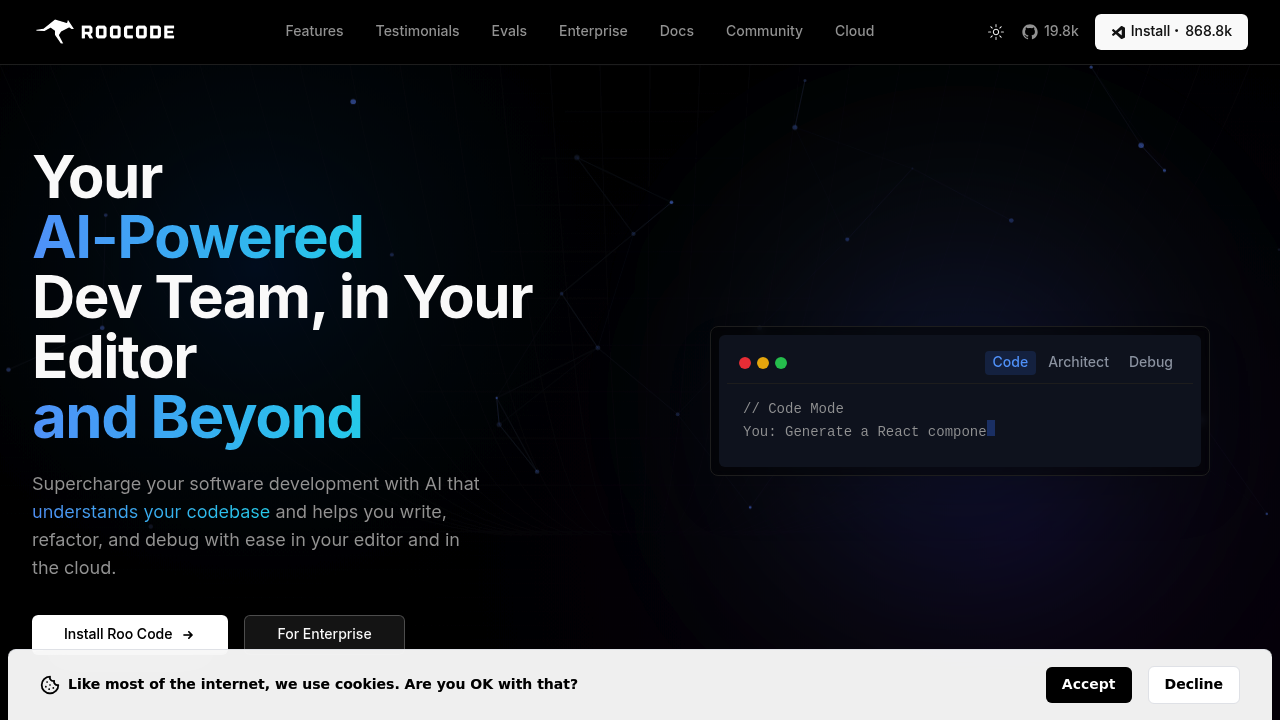
Roo Code is an open-source autonomous coding assistant that integrates into your VS Code editor. It reads files, writes code, executes terminal commands, and automates browser actions through conversational prompts. Solo developers favor it when they want complete control over their local environment and prefer working in their existing editor rather than a web-based platform.
Strengths
- Open-source and free core extension. The base VS Code extension costs nothing and remains free forever.
- Model-agnostic architecture. Works with any OpenAI-compatible API, custom endpoints, or local models like Ollama.
- Direct workspace integration. Operates within VS Code with full file system access and terminal control.
- Customizable modes and personas. Create specialized agents for debugging, architecture, security auditing, or custom workflows.
- Model Context Protocol support. Extend capabilities with unlimited custom tools via MCP integration.
- Transparent cost tracking. Displays estimated API costs for each request in chat history.
Weaknesses
- Single session per VS Code window. Cannot handle multiple parallel tasks in one workspace.
- Requires own API keys. Users must supply and manage their own LLM provider credentials.
- VS Code only. Limited to a single IDE unlike Lovable's web-based accessibility.
- No integrated hosting. Does not include deployment infrastructure like Lovable's built-in hosting.
- Steeper learning curve. Requires understanding of API configuration and model selection.
Best for
Developers who want local-first AI assistance with full control over models, data, and workflows inside their existing VS Code environment.
Pricing plans
- VS Code Extension — Free — Open-source, unlimited usage with your own API keys.
- Cloud Free — $0/month — Token analytics, cross-device task history, community support.
- Pro — $20/month — Includes Roomote Control for remote task management, paid support. 14-day free trial.
- Team — $99/month — Unlimited users, shared configuration, centralized billing. 14-day free trial.
- Enterprise — Custom pricing — SAML SSO, custom integrations, dedicated support, security compliance.
Tech details
- Type: VS Code extension with AI agent capabilities
- IDEs: VS Code only
- Key features: Natural language file editing, terminal command execution, browser automation, custom modes, MCP tool integration, auto-approval workflows, message queueing, custom slash commands
- Privacy / hosting: Runs locally in VS Code. Code and data remain on your machine. API calls go to your chosen LLM provider. Optional cloud service stores task history and analytics.
- Models / context window: Provider-agnostic. Supports OpenAI, Anthropic, Google Gemini, local models via Ollama, and any custom API endpoint. Context window depends on selected model.
When to choose this over Lovable
- You prefer working in a desktop IDE rather than a web browser.
- You want complete control over which AI models and API providers you use.
- Your workflow requires direct terminal access and system-level automation within your editor.
When Lovable may be a better fit
- You need instant full-stack web app deployment without environment setup.
- You prefer a unified platform that handles frontend, backend, and database generation automatically.
- You want to prototype and ship web applications without managing API keys or local infrastructure.
Conclusion
Roo Code serves as a Lovable alternative for developers who prioritize editor-native workflows and infrastructure control. It transforms VS Code into an autonomous coding environment where AI agents handle repetitive tasks, refactor code, and execute commands through natural conversation. The model-agnostic design means you choose your own LLM providers and maintain full visibility into costs. While Lovable excels at rapid web app prototyping with integrated deployment, Roo Code offers deeper integration with local development workflows and broader task automation capabilities.
Sources
- Official site: https://roocode.com/
- Docs: https://docs.roocode.com/
- Pricing: https://roocode.com/pricing
FAQ
Is Roo Code completely free?
The core VS Code extension is open-source and free forever with unlimited usage. You supply your own API keys for LLM providers. The optional Roo Code Cloud service adds features like Roomote Control and cross-device task history starting at $20/month.
What AI models does Roo Code support?
Roo Code works with any OpenAI-compatible API. This includes OpenAI, Anthropic Claude, Google Gemini, and local models through Ollama. You can also configure custom API endpoints for proprietary or self-hosted models.
How does Roo Code compare to Cursor or GitHub Copilot?
Roo Code functions as an autonomous agent that executes multi-step tasks. Cursor and Copilot focus primarily on code completion and inline suggestions. Roo Code reads files, runs terminal commands, and automates browser actions through conversational prompts.
Do I need coding experience to use Roo Code?
Basic programming knowledge helps. Roo Code requires understanding of your project structure, terminal commands, and how to configure API keys. It assists with coding tasks but assumes familiarity with development concepts.
Can Roo Code deploy applications like Lovable?
No. Roo Code operates within your local VS Code environment and does not include deployment infrastructure. You must handle hosting and deployment separately using your preferred services.
What is Roomote Control?
Roomote Control is a Pro plan feature that lets you start, stop, and monitor Roo Code tasks remotely from any device. You can check progress and course-correct your AI agent without being at your development machine.