Taskade Genesis
Contact
Taskade Genesis
AI workspace with a built-in app builder (Genesis) for creating dashboards, client portals, CRM systems, and internal tools connected to AI agents and automations — with a free plan and Starter at $6/mo.
Taskade Genesis as a Lovable Alternative: Comparison & Decision Guide (2026)
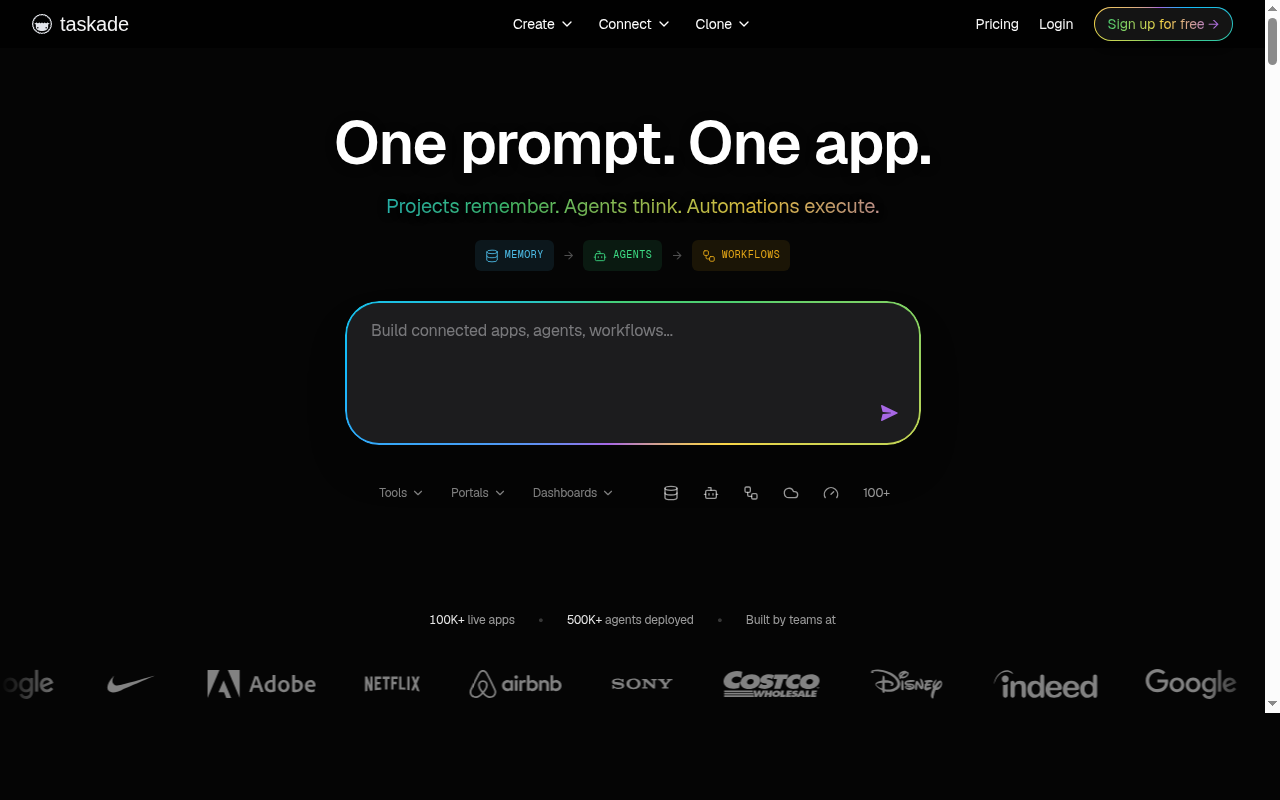
Taskade with its Genesis feature is an AI workspace that lets you build dashboards, client portals, internal tools, CRM systems, and simple apps through conversation — no code required. As a Lovable alternative, it occupies a specific niche: Genesis is strongest for teams building internal business tools and workflow automation apps, not consumer-facing product apps. If you need a polished external-facing product app with a designed UI, Lovable is a better fit. Taskade Genesis is for operators, product managers, and teams who want to automate internal workflows and build custom apps that plug into their existing Taskade workspace — projects, AI agents, and automations all work together.
The core trade-off vs Lovable is product philosophy: Lovable generates standalone apps with a clean front-end; Taskade Genesis generates apps that are connected to your Taskade workspace as a living system. This is powerful for internal tooling but limiting for shipping a standalone SaaS or consumer app.
Taskade is not the right choice if you are building a public-facing consumer app, need code export, need a standalone deployment independent of Taskade's infrastructure, or if you are a first-time app builder without a team workflow context.
Taskade Genesis vs. Lovable: Quick Comparison
| Decision area | Taskade Genesis | Lovable |
|---|---|---|
| Primary approach | AI workspace with app builder for internal tools, automations, and agents | AI front-end + Supabase integration app builder for product apps |
| No-code support | Yes — describe your tool in plain language; no coding required | Yes — strong no-code workflow, beginner-friendly |
| Learning curve | Moderate — best value for users already in the Taskade workspace ecosystem | Low — considered beginner-friendly out of the box |
| Output stack | Dashboards, portals, CRM, forms, internal tools, AI agents — embedded in Taskade workspace | React front-end + Supabase backend — standalone deployable app |
| AI capability / builder style | GPT, Claude, Gemini and more (Pro+); 1,000-50,000 credits/mo depending on plan | AI-generated React; strong at UI iteration |
| Visual editing | Workspace-style editing; not a traditional drag-and-drop visual editor | Inline visual editor; click-to-edit elements |
| Figma import | Not publicly documented | Yes — Figma to app conversion supported |
| Templates / starter projects | Large community library: dashboards, forms, workflows, CRMs, portals, quick apps | Growing library of app and project templates |
| Deployment | Apps live within Taskade workspace; sharing via Taskade links | Instant deploy via Lovable subdomain or custom domain |
| Custom domain | Business plan includes custom domains and white-labeling | Available on paid plans |
| Database | Projects store living data; integrated with Taskade workspace data layer | Supabase integration |
| Authentication | Taskade account-based access; not a standalone auth system | Via Supabase Auth |
| Mobile support | Taskade has mobile apps (iOS/Android); Genesis apps accessible via mobile | Responsive web; native mobile not publicly documented |
| Git/GitHub workflow | Not publicly documented | GitHub sync on paid plans |
| Code export / portability | Not publicly documented — apps tied to Taskade platform | Code accessible; export possible |
| Collaboration | Built-in team collaboration; Pro+ supports unlimited agents and automations | Collaboration supported on team plans |
| Support quality / onboarding help | Active community; tutorials, case studies, videos available | Strong onboarding; active community |
| Pricing model | Credit-based (AI actions consume credits); flat monthly tiers | Credit-based |
| Free plan | Yes — Free plan with 3 apps, 1 agent, 3 automations, 1,000 credits/mo | Yes — limited credits/month |
| Paid plans | Starter $6/mo (unlimited apps, 10k credits), Pro (50k credits, GPT/Claude/Gemini), Business (custom domains, white-label) | Multiple tiers; credit packs available |
What Taskade Genesis Does Differently
Apps that live inside a connected workspace
Taskade Genesis does not generate isolated apps — it generates apps that are connected to your workspace's projects, AI agents, and automations. A CRM you build in Genesis can automatically trigger AI agent follow-ups, update a project board, and feed into an automation — all without any additional integration setup. This "living software" model is fundamentally different from Lovable's approach, where an app is a standalone artifact. For teams who live in Taskade already, Genesis is significantly more powerful than an external app builder.
Extensive community template library
Taskade has a large community library covering dashboards, client portals, CRMs, HR processes, appointment booking, quick apps, forms, and more. Unlike newer AI builders with small template collections, Taskade's community gallery shows real examples of what teams have built. For operators who want to start from a validated template and customize rather than build from a blank prompt, this library reduces time-to-first-working-app significantly.
AI agents as a first-party feature
Taskade AI agents are not bolted-on assistants — they are core workspace citizens. Agents can reason, act on your data, execute automations 24/7, and be trained on your workspace content. When Genesis generates an app, the app can use those agents natively. For businesses building internal tools that need to automate repetitive work (follow-ups, data enrichment, approval routing), this integrated agent layer is a meaningful differentiator vs Lovable, which focuses on app UI generation rather than workflow automation.
Very low entry price with generous free tier
Taskade's free plan includes 3 apps, 1 agent, 3 automations, and 1,000 AI credits/month. The Starter plan at $6/mo (annual) unlocks unlimited apps and 10,000 credits. At this price point, Taskade offers substantially more for individuals and small teams exploring AI-powered internal tools than most competing platforms at comparable prices. The Pro plan adds access to GPT, Claude, Gemini and 50,000 credits/month — making it competitive for heavy AI usage at a lower price than Emergent's Pro tier.
Known Limitations
- Apps are tied to the Taskade platform — lock-in risk: Taskade Genesis apps live inside your Taskade workspace. There is no publicly documented code export path or standalone deployment option outside of Taskade. If you stop using Taskade or the platform changes its pricing, your apps are not portable. This is a fundamental constraint for anyone building a serious standalone product.
- Not designed for consumer-facing product apps: Genesis is positioned for internal tools, portals, dashboards, and automations. Building a polished consumer-facing SaaS product with a custom brand, marketing site, and public signup flow is not what Taskade Genesis is optimized for. Lovable is a significantly better fit for that use case.
- Learning curve for users outside the Taskade ecosystem: Taskade Genesis delivers its full value to teams already using Taskade for project management and AI agents. For a first-time user who just wants to build an app quickly without adopting an entire workspace platform, the onboarding overhead is higher than Lovable's focused app-building flow.
- Credit model limits at lower tiers: The free plan's 1,000 credits and Starter's 10,000 credits per month may be limiting for heavy AI app generation. The Pro plan (50,000 credits) is required for serious multi-agent, multi-automation workflows. Credit pricing structure for overages or top-ups is not prominently documented.
- No Figma import: Lovable supports Figma-to-app workflows. Taskade does not document this capability. Designers who want to convert Figma mockups into live apps will need a different tool.
Who Should Choose Taskade Genesis Over Lovable?
- Operations teams and product managers building internal tools — If you need a CRM, dashboard, approval workflow, or client portal that connects to your team's existing work, Taskade Genesis builds and connects these tools in one platform without requiring a separate app builder.
- Teams already using Taskade for project management — If your team lives in Taskade, Genesis apps inherit the full context of your workspace: projects, agents, automations, and data all stay connected. Migrating to an external app builder for internal tools creates unnecessary complexity.
- Founders who need AI agents as part of their app — If you want AI agents to automatically handle follow-ups, process forms, or run scheduled tasks inside your app, Taskade's first-party agent layer is faster to set up than integrating an external AI automation service with a Lovable app.
- Budget-constrained teams exploring AI app building — Taskade's free plan (3 apps, 1,000 credits) and Starter plan ($6/mo, unlimited apps, 10k credits) offer strong value for teams exploring internal tooling without a large budget commitment.
When Lovable Is Still the Better Choice
- You are building a standalone consumer-facing product — Lovable generates a deployable app with its own URL, brand, and public signup flow. Taskade Genesis apps are workspace-embedded and not optimized for public product launches.
- You need code access or GitHub integration — Lovable exposes your code and supports GitHub sync. Taskade Genesis does not document any code export or version control workflow.
- You want visual editing and drag-and-drop UI iteration — Lovable's inline editor lets you click and modify UI elements directly. Taskade's editing model is workspace-native, not a traditional UI design tool.
- You are a first-time app builder not using Taskade already — Lovable's focused app-building flow is easier for beginners who just want to describe and deploy one app, without adopting an entire workspace productivity platform first.
Pricing Comparison & Cost at Scale
Taskade plan overview (Genesis included)
- Free — $0/mo: 3 apps, 1 agent, 3 automations, 1,000 AI credits/month. Basic AI models.
- Starter — $6/mo (annual): Unlimited apps, unlimited agents, unlimited automations, 10,000 credits/month.
- Pro — price not publicly listed in simplified form: 50,000 credits/month, access to GPT, Claude, Gemini and more, 100+ integrations. Most teams upgrade within the first week according to Taskade's own FAQ.
- Business: Custom domains, white-labeling, team controls. Pricing not publicly listed.
- Max & Enterprise: Custom.
Prices are subject to change. Verify at https://www.taskade.com/pricing before subscribing. Pro and Business pricing requires checking the official pricing page as it was not publicly listed at time of research.
| Scenario | Taskade Genesis | Lovable | Notes |
|---|---|---|---|
| Individual exploring internal tools | $0/mo (free, 3 apps) | Free tier (limited credits) | Taskade free is more generous in app count; both are limited for heavy use |
| Solo operator, unlimited apps | $6/mo (Starter) | ~$20-25/mo | Taskade Starter is significantly cheaper for workspace-embedded apps |
| Team building multiple AI-automated tools | Pro plan (50k credits, all models) | Team plan (comparable or higher) | Taskade Pro's 50k credits supports extensive agent + automation workflows |
| Agency needing white-label custom domain | Business plan (custom pricing) | Higher-tier plans | Both require premium plans for white-label; Taskade Business pricing is not public |
Cost-at-scale note: Taskade Genesis apps are most cost-effective for teams already paying for Taskade as a workspace tool. If you adopt Taskade solely for Genesis, factor in the full cost of the workspace subscription. For standalone app building, the cost-per-app calculation is more favorable with Lovable, Blink.new, or Hostinger Horizons.
How Taskade Genesis Compares to Other Options
- vs. Retool: Retool is a developer-oriented internal tool builder with more customization options and database connectors. Taskade Genesis is simpler and more AI-first, with less developer flexibility. Retool is better for engineering teams; Taskade is better for operators who want no-code internal tools.
- vs. Softr: Softr builds no-code apps on top of Airtable/Google Sheets data. Taskade Genesis generates apps connected to Taskade's own data layer. If you are already in Airtable, Softr is the natural fit; if you are in Taskade, Genesis is.
- vs. Builder.io: Builder.io focuses on visual page building and content management with a strong CMS layer. Taskade Genesis focuses on workflow automation and AI agent apps. They target different use cases; Genesis is not a CMS replacement.
FAQ
Is Taskade free to use?
Yes — there is a permanent free plan with 3 apps, 1 AI agent, 3 automations, and 1,000 AI credits/month. For solo exploration of internal tool building, the free plan is a genuine working plan, not just a trial. The Starter plan at $6/mo unlocks unlimited apps and significantly more credits.
Do I need to know how to code?
No — Taskade Genesis uses a no-code, prompt-driven workflow. Describe what you want to build in plain language, and the AI generates the app or tool. No coding knowledge is required at any plan level.
Is Taskade Genesis good for beginners?
Partially. It is good for beginners who are already using Taskade as a workspace and want to extend it with custom tools. For a first-time app builder with no prior Taskade experience, the learning curve is steeper than Lovable's focused app-building flow. The template library helps, but the platform's full value is context-dependent on workspace adoption.
Can Taskade Genesis replace Lovable?
For internal business tools, automations, and team-facing apps — often yes. For standalone consumer-facing product apps with custom UI, public signup, and a separate brand — no. They are purpose-built for different use cases. Choosing between them depends on whether you are building for your team's internal workflow or for external end users.
Can I export my Taskade Genesis app to another platform?
Not publicly documented. Taskade Genesis apps are tightly coupled to the Taskade workspace. There is no currently documented migration or export path. This is an important consideration for long-term planning if you anticipate needing to move infrastructure.
What kinds of apps can I build with Taskade Genesis?
Dashboards, CRM systems, client portals, HR process tools, approval workflows, inventory trackers, booking systems, landing pages, forms that trigger automations, and custom AI assistants. Genesis is particularly strong for apps that need AI agents to run processes automatically in the background.