TRAE
AI-powered IDE for developers seeking code-level control with multi-model support and VS Code compatibility.
TRAE - Lovable alternative
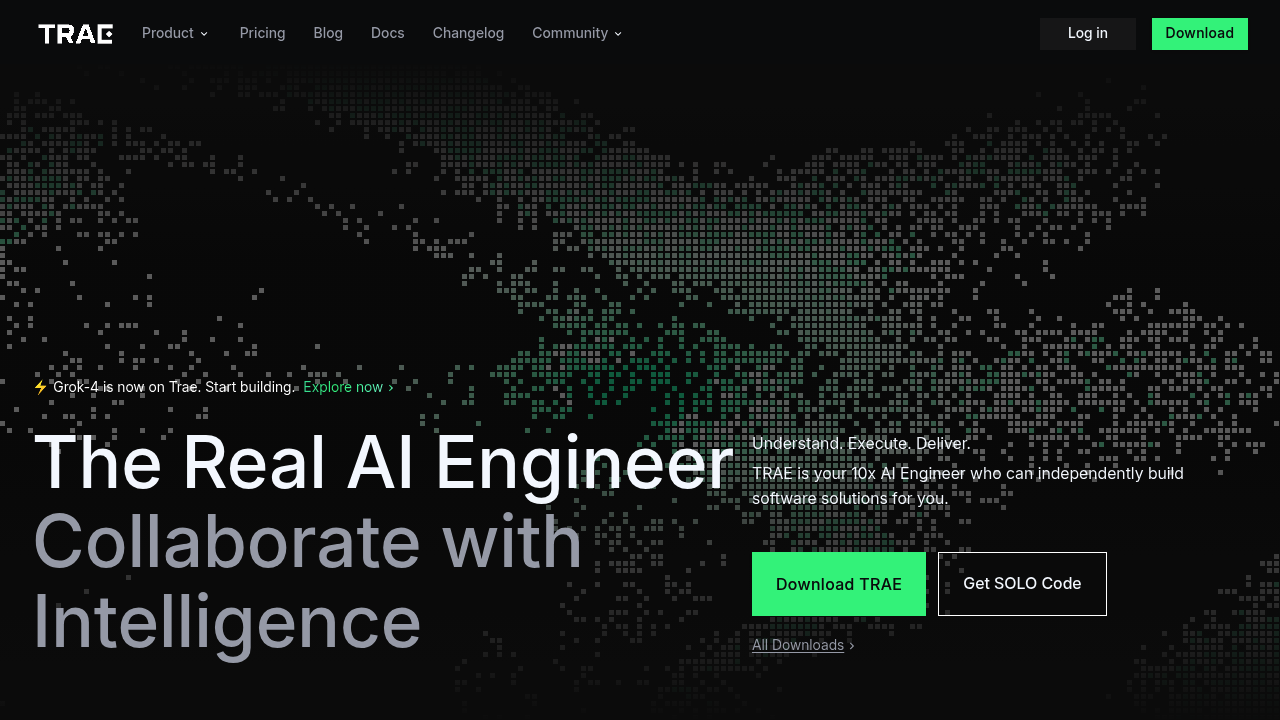
TRAE is an adaptive AI-powered integrated development environment developed by ByteDance. It operates as a VS Code fork allowing users to import settings, extensions, and keyboard shortcuts from Cursor or VS Code. Users communicate with it using natural language commands like @Agent or #Context and delegate complex coding tasks while maintaining control over the process. Developers who prefer line-by-line coding assistance and codebase-wide editing may find TRAE more suitable than full-stack app generators.
Strengths
- Offers $10/month Pro plan with 600 fast requests to premium models and unlimited autocomplete, compared to Cursor's $20/month
- Supports multiple advanced AI models including Claude 4 Sonnet, GPT-4.1, and Gemini 2.5 Pro with OpenRouter integration for additional models
- Provides VS Code extension compatibility, allowing users to customize their development environment with most Visual Studio Code extensions
- Features customizable coding agents through MCP (Model Context Protocol) support and .rules configuration files
- Includes integrated debugging, testing tools, and webview feature for previewing web applications seamlessly within the editor
- Adheres to local-first principles, storing codebase files locally on devices with temporary uploads deleted after processing
Weaknesses
- Tab completion feature (Cue) is slower than competitors and needs refinement
- Lacks ChatGPT-style memory feature that remembers context across sessions
- Privacy policy states code snippets and user interaction data may be used for AI training and product improvement
- Has steeper learning curve compared to no-code platforms, requiring familiarity with coding workflows and AI prompt engineering
- Official numeric limits for context window size and maximum number of files referenced per response are not publicly documented
Best for
Developers who want IDE-level code assistance with multi-file editing capabilities across diverse programming languages. Teams seeking cost-effective alternatives to Cursor or Windsurf with similar functionality.
Pricing plans
- Free Plan — $0/month — 10 fast requests and 50 slow requests per month. Full access to premium models and all features during beta.
- Pro Plan — $10/month (first month $3 for new subscribers) — 600 fast requests to premium models per month, unlimited autocomplete and slow requests, pay-as-you-go for additional fast requests.
- Annual Plan — $90/year ($7.50/month equivalent) — Same features as Pro Plan with 25% discount.
Tech details
- Type: AI-powered IDE (VS Code fork, closed-source)
- IDEs: Desktop application for macOS and Windows (10/11), Linux support planned
- Key features: Builder Mode for natural language project generation, Chat Mode for AI assistance, multimodal input support (image uploads), GitHub integration, customizable agent system, terminal suggestions
- Privacy / hosting: Local-first architecture with codebase files stored locally. Temporary uploads for indexing deleted after processing. Data deployed in US, Singapore, and Malaysia based on account location.
- Models / context window: Claude 4 Sonnet (optimized), Claude 3.5/3.7 Sonnet, GPT-4o, GPT-4.1, Gemini 2.5 Pro, DeepSeek R1/V3. Context window size: Unknown.
When to choose this over Lovable
- You need flexible code assistance for developers across broader and more customizable development scenarios beyond web app generation
- You require support for multiple AI models and custom agent development integrated with varied infrastructure setups
- Your workflow involves desktop applications, backend services, or non-web projects requiring full IDE capabilities rather than web-focused full-stack generation
When Lovable may be a better fit
- You prioritize autonomous project delivery and ease of use with plain-language prompts for rapid web application development
- You need seamless Supabase integration with automatic backend database and authentication setup for full-stack web apps
- You are non-technical or semi-technical users looking for lower barrier to entry with iterative design and intuitive preview tools
Conclusion
TRAE positions itself as a developer-focused IDE alternative with strong multi-model support and cost advantages. At $10 monthly compared to Cursor's $20, the price difference matters for many developers, while also packing features that Cursor lacks like custom agents and OpenRouter integration. While it excels at code-level assistance across diverse programming scenarios, it requires more technical expertise than platforms like Lovable which focus on rapid web application generation for non-technical users. The choice depends on whether you need IDE-level coding control or automated full-stack app generation.
Sources
- Official site: https://www.trae.ai/
- Docs: https://docs.trae.ai/
- Pricing: https://www.trae.ai/pricing
FAQ
What makes TRAE different from Lovable?
TRAE is an AI-powered IDE for line-by-line code development across any programming language, while Lovable generates complete full-stack web applications from natural language prompts. TRAE targets developers who need coding assistance and flexibility, whereas Lovable serves non-technical users building web MVPs quickly.
Can TRAE generate full applications like Lovable?
Yes, through Builder Mode. However, TRAE focuses on developer-guided workflows with more granular control, while Lovable automates the entire full-stack web application generation process with less manual intervention.
Is TRAE truly free?
TRAE is currently available for free through download for macOS and Windows, with a Free Plan offering limited monthly requests. The Pro Plan costs $10/month with expanded limits and priority access to models.
Does TRAE work offline?
Core IDE features work offline, but the AI assistant requires an internet connection to access GPT-4 and Claude models.
Which AI models does TRAE support?
TRAE supports Claude 4 Sonnet, Claude 3.5/3.7 Sonnet, GPT-4o, GPT-4.1, Gemini 2.5 Pro, and DeepSeek models. Users can switch between models and integrate additional models through OpenRouter.
Can I migrate from Cursor or VS Code to TRAE?
Yes, TRAE is a VS Code fork that lets you import settings, extensions, and keyboard shortcuts from Cursor or VS Code, making migration straightforward for developers.