Warp
AI-powered terminal emulator for developers who need command-line productivity with intelligent assistance.
Warp - Lovable alternative
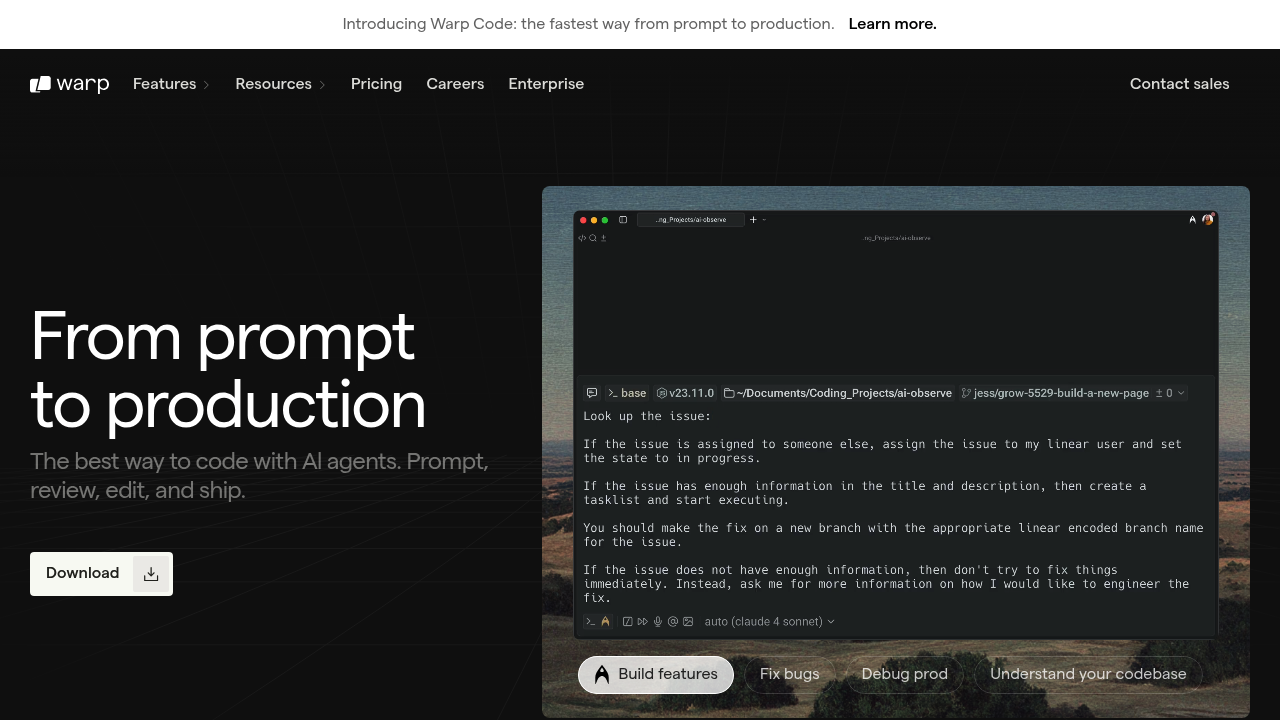
Warp is a Rust-based terminal emulator that integrates AI directly into command-line workflows. It provides AI-powered command suggestions, natural language to command translation, and real-time error debugging assistance. The interface prioritizes clarity and minimalism, offering multiple tabs and panes for managing several sessions simultaneously. Unlike Lovable, which generates full-stack web applications from prompts, Warp focuses on enhancing developer productivity within the terminal environment through features like block-based command organization and collaborative session sharing.
Strengths
- Choice of premium AI models including Claude Opus 4.1, Claude Sonnet 4, OpenAI o3, and Gemini 2.5 Pro for command generation and debugging
- Block-based interface groups command input and output into cohesive units, with features like command autocompletion, syntax highlighting, and error detection
- Warp Drive enables storing and sharing reusable workflows, notebooks, and parameterized prompts across teams
- Real-time session sharing facilitates pair programming, debugging, and remote troubleshooting for distributed teams
- SOC 2 compliant with Zero Data Retention policies ensuring no customer AI data is retained, stored, or used for training
- Built with Rust and GPU acceleration for fast rendering and responsive performance
Weaknesses
- AI request consumption can be unpredictable, with complex interactions potentially using multiple requests for a single prompt
- Requires internet connection for AI features and cloud-based functionality
- Interface may be difficult for users accustomed to traditional terminals, causing a learning curve
- Additional subscription cost on top of other AI services may feel redundant for developers already using similar tools
Best for
Developers working primarily in terminal environments who need AI assistance for command generation, error debugging, and team collaboration on command-line workflows.
Pricing plans
- Free — $0/month — Up to 150 AI requests/month, 3 indexed codebases (5,000 files max), 10 workflows, 3 notebooks
- Pro — $15/user/month (annual) or $18/month — 2,500 AI requests/month, 40 codebases (10,000 files each), pay-as-you-go overages
- Turbo — $40/user/month (annual) or $50/month — 10,000 AI requests/month, 40 codebases (20,000 files each), Zero Data Retention, SAML SSO
- Business — $55/user/month (annual) or $60/month — Up to 50 seats, same limits as Turbo plus BYOLLM, dedicated account manager
- Lightspeed — $200/user/month (annual) or $225/month — 50,000 AI requests/month, 40 codebases (100,000 files each)
- Enterprise — Custom pricing — Custom AI limits, codebase indexing, SOC 2 compliance, onboarding support
Tech details
- Type: Terminal emulator with integrated AI assistance
- IDEs: Works as standalone terminal; supports popular shells including bash, zsh, and fish
- Key features: AI command generation from natural language, block-based command organization, real-time session sharing, Warp Drive for workflow storage, syntax highlighting, error detection, secret redaction
- Privacy / hosting: Cloud-based with data stored on Google Cloud Platform (US region), encrypted in transit and at rest. Zero Data Retention policy with LLM providers (Turbo plan and above). Desktop application for macOS, Linux, and Windows.
- Models / context window: Claude Opus 4.1, Claude Sonnet 4, OpenAI o3, Gemini 2.5 Pro, plus Lite model for fallback. Pro plan supports up to 40 codebases with 10,000 files each; Lightspeed supports 100,000 files per codebase.
When to choose this over Lovable
- Your workflow centers on terminal and command-line operations rather than web application development
- You need AI assistance for debugging errors, generating shell commands, or explaining terminal output
- Team collaboration requires shared terminal sessions and reusable command workflows rather than shared web app codebases
When Lovable may be a better fit
- Your goal is generating complete full-stack web applications from natural language descriptions rather than enhancing terminal productivity
- You need to scaffold frontend, backend, and database code for web projects without writing commands manually
- Your team builds web applications and requires GitHub-synced React/TypeScript codebases rather than terminal-based development workflows
Conclusion
Warp serves developers who spend significant time in terminal environments and want AI-powered assistance for command-line tasks. Its block-based interface and collaborative features modernize terminal workflows while maintaining compatibility with standard shells. The platform excels at explaining errors, suggesting commands, and enabling team coordination through shared sessions. However, its focus on terminal enhancement makes it fundamentally different from Lovable alternative platforms that generate complete web applications from prompts.
Sources
- Official site: https://www.warp.dev/
- Docs: https://docs.warp.dev/
- Pricing: https://www.warp.dev/pricing
FAQ
Is Warp compatible with my existing shell configuration?
Warp supports popular shells such as bash, zsh, and fish, allowing users to maintain their preferred configurations while benefiting from Warp's modern enhancements. Your existing dotfiles and shell customizations remain functional.
How does Warp handle sensitive data in terminal sessions?
Warp automatically obscures sensitive values like API keys as you work or share terminal content, reducing the risk of exposure. Zero Data Retention policies ensure customer AI data is never retained, stored, or used for training by LLM providers.
Can I use Warp offline?
All offline terminal features are accessible without internet connection. However, AI-powered features like command suggestions, error debugging, and Warp Drive synchronization require internet connectivity.
What happens when I exceed my monthly AI request limit?
Pro, Turbo, and Business plans support pay-as-you-go AI overages, allowing continued use of premium models after hitting your quota. All paid plans include unlimited Lite AI requests as a fallback model. Team admins enable overages under Settings > Billing and usage.
Does Warp require creating an account?
Yes. Warp requires account signup for access to its features and cloud-based services. The platform uses this authentication for syncing preferences, accessing Warp Drive, and tracking AI usage across devices.
Can teams mix different subscription plans?
All members of a team must have the same subscription plan; you cannot mix and match plans for each member. To have different plans, users must maintain separate teams.