Zed
High-performance, multiplayer code editor with integrated AI for building applications.
Zed - Lovable alternative
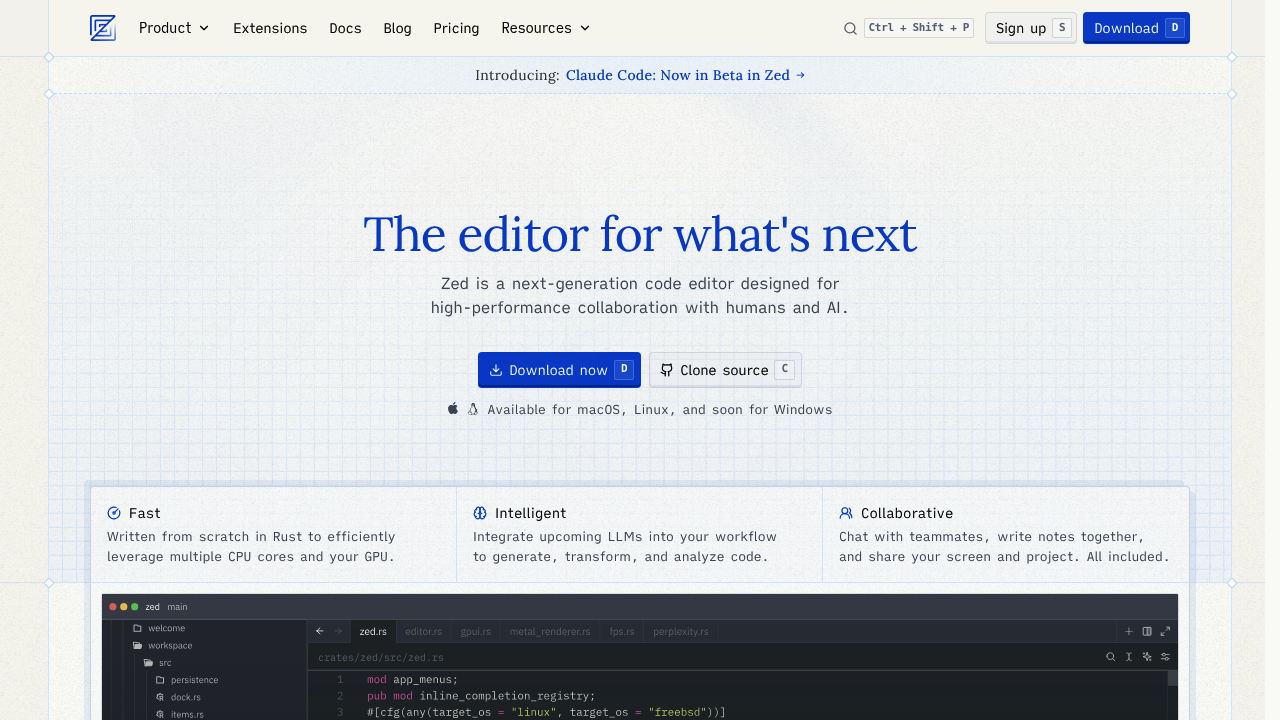
Zed is a high-performance, multiplayer code editor from the creators of Atom and Tree-sitter. Built from scratch in Rust, it leverages GPU acceleration for fast rendering at 120fps. It offers AI-assisted coding powered by Anthropic's Claude, enabling developers to generate, transform, and analyze code directly within the editor. Solo developers might prefer it for its native speed, lightweight design, and ability to work with local models or API keys without requiring a full web-based environment.
Strengths
- Blazing-fast performance — Written from scratch in Rust to efficiently leverage multiple CPU cores and GPU, delivering responsive editing at 120 frames per second with minimal lag.
- Flexible AI integration — Supports hosted Claude models, local Ollama models, or bring-your-own API keys from providers like Anthropic, OpenAI, Google AI, and others for maximum control.
- Real-time multiplayer collaboration — Built-in multiplayer editing allows developers to share projects and collaborate synchronously through WebSocket connections without peer-to-peer complications.
- Open source codebase — GPL-licensed editor with Apache 2-licensed GPUI framework enables full transparency, forking, and community contributions for security-conscious teams.
- Agentic editing with unlimited tool calls — Burn Mode enables models to use large context windows (up to 200k tokens) and unlimited tool calls for complex automated refactoring tasks.
- Transparent usage-based pricing — Bills at API list price +10% for hosted usage with clear per-prompt metering and optional spending caps for budget control.
Weaknesses
- Limited platform support — Currently officially supports macOS and popular Linux distributions; Windows support requires compiling from source until stable binaries are released.
- Extension ecosystem still developing — Fewer extensions compared to mature editors like VS Code; deeper extension APIs are still on the roadmap.
- Requires sign-in for AI features — AI features require login, which may not appeal to developers seeking fully offline workflows.
- Newer product with evolving stability — Still in beta phase with potential bugs and pain points; regular Quality Week efforts address user-reported issues.
Best for
Developers who prioritize raw editor speed, need flexible AI integration options, want real-time collaboration capabilities, or prefer open-source tooling with transparent pricing models.
Pricing plans
- Personal — Free forever — 50 Zed-hosted prompts per month, 2000 accepted edit predictions, unlimited prompts with own API keys
- Pro — $20/month — 500 prompts per month, unlimited edit predictions, usage-based billing beyond 500 prompts at $0.04-$0.25 per prompt depending on model
- Enterprise — Custom pricing — Usage analytics, SSO, security guarantees, shared billing, premium support (contact sales for details)
Note: Claude Opus 4 and 4.1 each consume 5 prompts per usage due to 5x token cost relative to Sonnet. Usage-based billing charges occur every $20 spent or at month end, whichever comes first.
Tech details
- Type: Native desktop code editor with AI integration
- IDEs: Standalone application for macOS and Linux (Windows in development)
- Key features: GPU-accelerated rendering, multiplayer editing, inline AI assistance, Agent Panel for agentic workflows, language server protocol support, extension system, integrated terminal
- Privacy / hosting: Self-hosted editor with optional cloud features; project metadata and file contents proxied through servers for collaboration but not stored; user can disable telemetry; supports fully local Ollama models for offline AI.
- Models / context window: Claude 3.5 Sonnet (60k), Claude 3.7 Sonnet (120k standard, 200k Burn Mode), Claude Sonnet 4 (120k standard, 200k Burn Mode), Claude Opus 4 and 4.1 (120k standard, 200k Burn Mode); also supports models via Amazon Bedrock, GitHub Copilot, Deepseek, Google AI, LM Studio, Mistral, Ollama, OpenAI, Vercel.
When to choose this over Lovable
- You need a traditional code editor workflow with full control over your development environment rather than a web-based builder interface.
- You want to work with local AI models or manage API keys directly without intermediary platforms.
- Your workflow requires multiplayer collaboration within a native desktop application with sub-millisecond latency and offline capabilities.
When Lovable may be a better fit
- You prefer a web-based, no-install development environment focused on rapid application prototyping and deployment.
- Your primary goal is building full-stack applications through natural language prompts rather than editing code in a traditional IDE.
- You need integrated hosting, deployment pipelines, and infrastructure management without configuring these separately.
Conclusion
Zed represents a Lovable alternative for developers seeking a native, high-performance code editor with flexible AI integration. Its Rust-based architecture delivers unmatched speed while supporting hosted models, local inference, or custom API keys. The open-source nature and multiplayer capabilities make it compelling for teams valuing transparency and real-time collaboration. While still maturing on Windows and with a smaller extension ecosystem, Zed offers powerful agentic editing for developers who prefer traditional editor workflows over web-based builders.
Sources
- Official site: https://zed.dev
- Docs: https://zed.dev/docs/ai/models
- Pricing: https://zed.dev/pricing
FAQ
Q: Can I use Zed without paying for AI features?
Yes, Zed is first and foremost a code editor with blazing-fast performance, true multiplayer collaboration, and a focus on developer productivity. The editor itself is free forever. You only need to pay if you want hosted AI prompts beyond the free tier.
Q: What is Burn Mode and when should I use it?
Burn Mode enables models to use large context windows (up to 200k tokens), unlimited tool calls, and enhanced reasoning capabilities for an unfettered agentic experience. Each tool call request counts as a separate prompt. Use it for complex refactoring tasks requiring extensive context and automated workflows.
Q: How does Zed handle my code privacy?
When signed out, Zed sends nothing to servers; when sharing projects in calls, only project metadata and relative file paths are stored on servers; file contents are proxied but never stored. You can also use local Ollama models or your own API keys for complete privacy control.
Q: Does Zed work on Windows?
Windows support is gradually being enabled through community efforts and can be compiled from source; official binaries will be provided when the user experience is stable. Current official support covers macOS and popular Linux distributions.
Q: What happens if I exceed my monthly prompt limit?
Once you hit 500 prompts in a given month on Pro, you can enable overage billing with a spending cap to manage LLM costs. Without enabling overage billing, AI features stop until the next billing cycle. Personal plan users can always use unlimited prompts with their own API keys.
Q: How does pricing compare to using API keys directly?
Zed bills at API list price +10% for hosted usage. The convenience includes higher rate limits, simplified billing, and no need to manage multiple API accounts. Alternatively, you can use your own keys from any supported provider at direct API pricing.